











How to Fix Cloudflare Errors 1006, 1007, and 1008 Quickly

Ethan Collins
How to use CapSolver
05-Feb-2025

Cloudflare errors 1006, 1007, and 1008 can be frustrating roadblocks when trying to access or scrape websites. These errors indicate that your IP has been blocked or flagged as suspicious by Cloudflare’s systems. In this post, we’ll explore what these errors mean, why they occur, and several quick methods to overcome them.

What Do These Errors Mean?
-
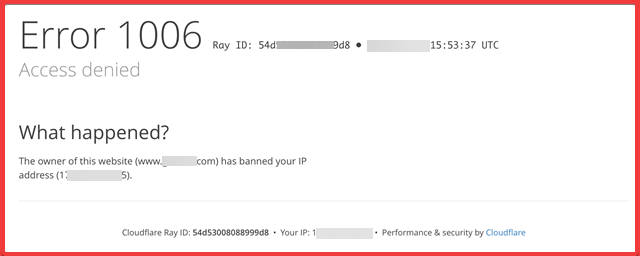
Error 1006: Access Denied
This error generally means that Cloudflare has blocked your IP address because it believes there is potential malicious activity or automated traffic coming from your end. -
Error 1007: Access Denied (Country/Region Block)
This error indicates that your request is being blocked due to geographic restrictions. Cloudflare may block access from certain regions or IP ranges based on the website owner’s security settings. -
Error 1008: Access Denied (Custom Firewall Rules)
This error appears when the website’s custom firewall rules detect and block your request. It is commonly triggered when traffic appears automated or does not mimic a real user’s behavior.
Common Causes
-
IP Blocking:
Your IP address might be on a blacklist due to past activity or because it belongs to a region that the website restricts. -
Automated Traffic Detection:
When requests come in with headers or behaviors that differ from those of a normal browser, Cloudflare’s detection systems flag them as potential bots. -
Strict Security Settings:
Website owners may configure Cloudflare to use aggressive security measures (such as “I'm Under Attack” mode), resulting in more frequent blocks.
Quick Methods to Fix the Errors
1. Use Premium Residential Proxies
Premium proxies, especially residential ones, make your requests appear as though they come from real users. Residential proxies use IP addresses assigned to real devices, which helps avoid detection. Switching to a high-quality proxy service can quickly bypass blocks that target suspicious IPs.
2. Rotate Your User-Agent Strings
The User-Agent header tells the server what kind of device or browser is making the request. If you use a static or non-browser User-Agent, it may be flagged as a bot. Rotating genuine browser User-Agent strings makes your traffic appear more natural and reduces the risk of being blocked.
3. Mimic Human Behavior
Introducing randomized delays between requests, varying your browsing patterns, and simulating mouse movements or other interactions can help fool automated detection systems. When your activity closely mirrors that of a human visitor, Cloudflare is less likely to block your access.
4. Change Your IP Address
If your current IP address is blocked, try accessing the site from a different network or using a VPN. Rotating your IP address can help bypass geo-restrictions and blacklist issues.
5. Use a CAPTCHA-Solving Service
Cloudflare often presents CAPTCHAs to verify that a visitor is human. If you frequently encounter CAPTCHAs during scraping or automation, using a CAPTCHA-solving service like CapSolver can save time and improve efficiency. CapSolver provides fast and reliable CAPTCHA solutions, ensuring smooth and uninterrupted access to websites protected by Cloudflare.
Bonus Code
Claim Your Bonus Code for top captcha solutions; CapSolver: recapv2. After redeeming it, you will get an extra 5% bonus after each recharge, Unlimited.

Final Thoughts
Cloudflare errors 1006, 1007, and 1008 are designed to protect websites from harmful traffic, but they can also hinder legitimate users and web scraping efforts. By using premium proxies, rotating user agents, mimicking human behavior, and changing your IP address, you can effectively overcome these blocks.
Compliance Disclaimer: The information provided on this blog is for informational purposes only. CapSolver is committed to compliance with all applicable laws and regulations. The use of the CapSolver network for illegal, fraudulent, or abusive activities is strictly prohibited and will be investigated. Our captcha-solving solutions enhance user experience while ensuring 100% compliance in helping solve captcha difficulties during public data crawling. We encourage responsible use of our services. For more information, please visit our Terms of Service and Privacy Policy.
More
What Is a Cloudflare Challenge? How It Works & When It Appears
Learn what a Cloudflare Challenge is, how Cloudflare detects bots using JavaScript and machine learning, and why challenges appear during browsing. Complete guide for 2026.
Ethan Collins
29-Apr-2026
Cloudflare Turnstile Verification Failed? Causes, Fixes & Troubleshooting Guide
Learn how to fix the "failed to verify cloudflare turnstile token" error. This guide covers causes, troubleshooting steps, and how to defeat cloudflare turnstile with CapSolver.

Emma Foster
21-Apr-2026
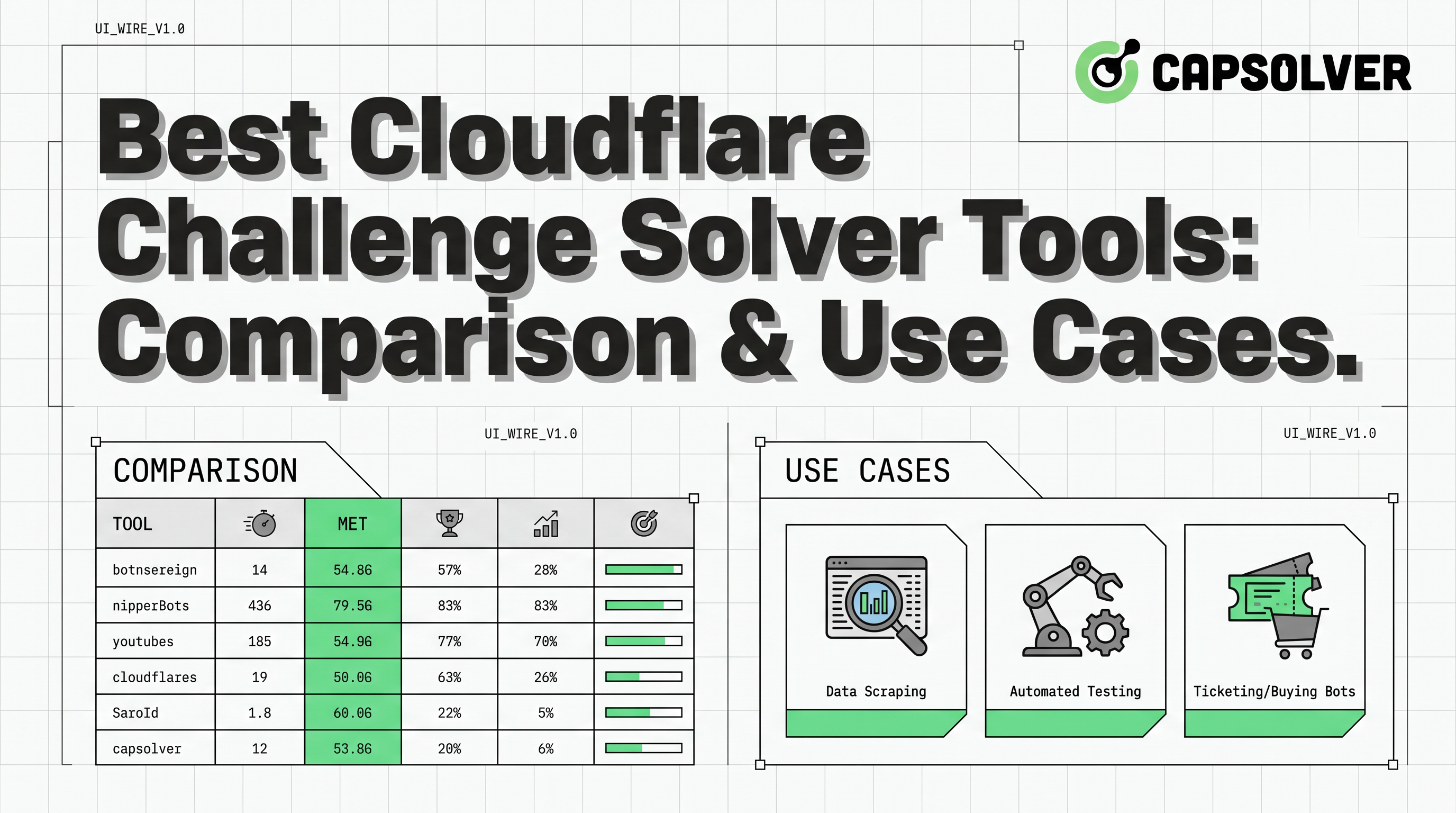
Best Cloudflare Challenge Solver Tools: Comparison & Use Cases
Discover the best cloudflare challenge solver tools, compare API vs. manual automation, and find optimal solutions for your web scraping and automation needs. Learn why CapSolver is a top choice.
Ethan Collins
20-Apr-2026
How to Solve Cloudflare Turnstile in Vehicle Data Automation
Learn how to handle Cloudflare Turnstile in vehicle data and public records automation. Use CapSolver and n8n to automate record scraping efficiently.

Lucas Mitchell
16-Apr-2026
Fix Cloudflare Error 1005: Web Scraping Guide & Solutions
Learn to fix Cloudflare Error 1005 access denied during web scraping. Discover solutions like residential proxies, browser fingerprinting, and CapSolver for CAPTCHA. Optimize your data extraction.

Aloísio Vítor
27-Mar-2026

How to Navigate Cloudflare Turnstile with Playwright Stealth in AI Workflows
Discover how to effectively handle Cloudflare Turnstile in AI workflows using Playwright stealth techniques and CapSolver for reliable captcha solving. Learn practical integration strategies and best practices for uninterrupted automation.
Aloísio Vítor
17-Mar-2026