CAPTCHA can often pose a significant obstacle in web scraping and automation tasks. However, with the right approach using Selenium and C#, it's possible to effectively handle and solve CAPTCHA challenges. In this guide, we'll delve into programmatically managing CAPTCHA on websites and demonstrate web scraping on a sample site.
Understanding CAPTCHA
CAPTCHA, short for Completely Automated Public Turing test to tell Computers and Humans Apart, acts like a digital gatekeeper at the entrance of websites. It challenges users with tasks like deciphering distorted text, identifying objects, or listening to audio clips amidst noise. These tests are crucial for safeguarding online services from automated bots, ensuring only genuine human interaction.
Struggling with the repeated failure to completely solve the irritating captcha? Discover seamless automatic captcha solving with CapSolver AI-powered Auto Web Unblock technology!
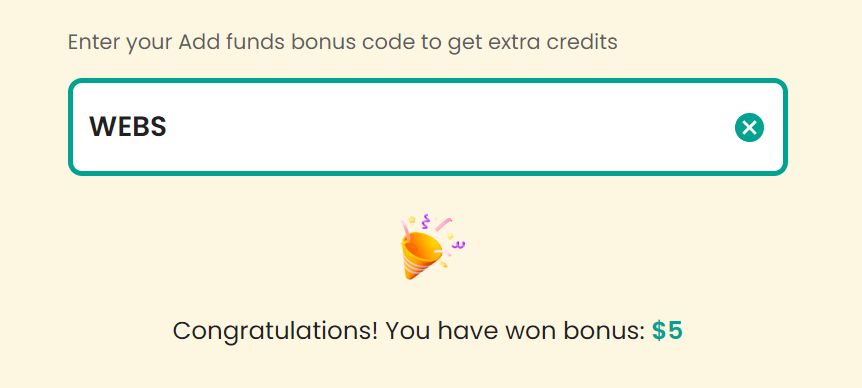
Claim Your Bonus Code for top captcha solutions; CapSolver: WEBS. After redeeming it, you will get an extra 5% bonus after each recharge, Unlimited
Prerequisites
Before diving into Selenium and C# for CAPTCHA solving and web scraping, ensure you have the following:
Selenium WebDriver for C# (Install using NuGet Package Manager: Install-Package Selenium.WebDriver)
WebDriver for your specific browser (e.g., ChromeDriver)
Setting up Selenium in Visual Studio
To get started, create a new C# project in Visual Studio and add Selenium WebDriver using the NuGet Package Manager:
powershellCopy
Install-Package Selenium.WebDriver
Additionally, install the WebDriver for your preferred browser. You can find specific drivers like ChromeDriver and FirefoxDriver for download.
Basic Web Scraping Example
Let's demonstrate how to extract data from a sample website using Selenium in C#:
csharpCopy
using OpenQA.Selenium;
using OpenQA.Selenium.Chrome;
using System;
using System.Collections.Generic;

namespace WebScrapingExample
{
    class Program
    {
        static void Main(string[] args)
        {
            IWebDriver driver = new ChromeDriver();
            driver.Navigate().GoToUrl("https://www.scrapethissite.com/pages/simple/");

            var countries = driver.FindElements(By.CssSelector(".country"));
            List<string> countryData = new List<string>();

            foreach (var country in countries)
            {
                var name = country.FindElement(By.CssSelector(".country-name")).Text;
                var capital = country.FindElement(By.CssSelector(".country-capital")).Text;
                var population = country.FindElement(By.CssSelector(".country-population")).Text;
                var area = country.FindElement(By.CssSelector(".country-area")).Text;

                countryData.Add($"Name: {name}, Capital: {capital}, Population: {population}, Area: {area}");
            }

            foreach (var data in countryData)
            {
                Console.WriteLine(data);
            }

            driver.Quit();
        }
    }
}
Handling CAPTCHA Challenges
Handling CAPTCHA involves integrating a CAPTCHA solving service like CapSolver. Here’s a basic example of how to integrate it:
Setting up CapSolver API Integration
Before solving CAPTCHAs programmatically, you need to sign up on CapSolver's website and obtain an API key.
Step-by-Step Integration with CapSolver
Create an Account: Sign up on the CapSolver website and log in to your dashboard.
Generate API Key: Navigate to the API section in your CapSolver dashboard and generate an API key.
Implementing CAPTCHA Solving with CapSolver
Below is a sample implementation using CapSolver to solve a reCAPTCHA v2 challenge:
csharpCopy
using OpenQA.Selenium;
using OpenQA.Selenium.Chrome;
using System;
using System.Net.Http;
using System.Threading.Tasks;
using Newtonsoft.Json.Linq;

namespace SolveCaptchaExample
{
    class Program
    {
        static async Task Main(string[] args)
        {
            IWebDriver driver = new ChromeDriver();
            driver.Navigate().GoToUrl("https://www.google.com/recaptcha/api2/demo");

            var siteKey = driver.FindElement(By.CssSelector("div.g-recaptcha")).GetAttribute("data-sitekey");
            var pageUrl = driver.Url;

            var captchaResponse = await SolveCaptcha(siteKey, pageUrl, "your apiKey");
            await Console.Out.WriteLineAsync(captchaResponse);


            IWebElement recaptchaResponseElement = driver.FindElement(By.Id("g-recaptcha-response"));
            ((IJavaScriptExecutor)driver).ExecuteScript($"arguments[0].value = '{captchaResponse}';", recaptchaResponseElement);

            IWebElement submitButton = driver.FindElement(By.CssSelector("#recaptcha-demo-submit"));
            submitButton.Click();
        }

        static async Task<string> SolveCaptcha(string siteKey, string pageUrl, string apikey)
        {
            var client = new HttpClient();
            var content = new StringContent($"{{\"clientKey\": \"{apikey}\", \"task\": {{\"type\": \"RecaptchaV2TaskProxyless\", \"websiteURL\": \"{pageUrl}\", \"websiteKey\": \"{siteKey}\"}}}}", System.Text.Encoding.UTF8, "application/json");
            var response = await client.PostAsync("https://api.capsolver.com/createTask", content);
            var jsonResponse = await response.Content.ReadAsStringAsync();
            var taskId = JObject.Parse(jsonResponse)["taskId"].ToString();

            string captchaSolution = "";
            while (captchaSolution == "" || captchaSolution.Contains("processing"))
            {
                await Task.Delay(5000);
                var content2 = new StringContent($"{{\"clientKey\": \"{apikey}\", \"taskId\": \"{taskId}\"}}", System.Text.Encoding.UTF8, "application/json");
                var response2 = await client.PostAsync("https://api.capsolver.com/getTaskResult", content2);
                var jsonResponse3 = await response2.Content.ReadAsStringAsync();
                captchaSolution = JObject.Parse(jsonResponse3)["solution"]["gRecaptchaResponse"].ToString();
            }

            return captchaSolution;
        }
    }
}
Conclusion
In this tutorial, we've covered the basics of using Selenium with C# to handle CAPTCHAs and demonstrated web scraping with a practical example. With these techniques and tools like CapSolver, you can efficiently automate interactions with CAPTCHA-protected websites and extract data seamlessly.
Compliance Disclaimer: The information provided on this blog is for informational purposes only. CapSolver is committed to compliance with all applicable laws and regulations. The use of the CapSolver network for illegal, fraudulent, or abusive activities is strictly prohibited and will be investigated. Our captcha-solving solutions enhance user experience while ensuring 100% compliance in helping solve captcha difficulties during public data crawling. We encourage responsible use of our services. For more information, please visit our Terms of Service and Privacy Policy.