











How to Solve GeeTest V3 in n8n with CapSolver: Complete Integration Guide

Ethan Collins
How to use CapSolver
18-Mar-2026
GeeTest V3 is one of the most widely deployed behavioral CAPTCHAs on the web. Unlike simple checkbox challenges, GeeTest V3 uses interactive puzzles -- slide-to-verify, icon selection, and word matching -- to distinguish humans from bots. It's commonly found on login pages, registration forms, and data-heavy sites across Asia and increasingly worldwide.
What if you could solve GeeTest V3 automatically inside your n8n workflows -- whether you're building a reusable solver API, scraping a captcha-protected site, or automating a login form -- all without writing a single line of traditional code?
In this guide, you'll learn how to combine n8n (a visual workflow automation tool) with CapSolver (an AI-powered captcha solving service) to solve GeeTest V3 challenges on demand -- either as a standalone API endpoint or as a step inside any automation workflow.
What you'll build:
Solver API -- a reusable endpoint your other tools can call:
- A GeeTest V3 solver API
Direct-use workflows -- CapSolver embedded as a step inside larger automations:
- A price & product scraper that solves GeeTest V3, fetches protected pages, and alerts on price changes
- An account login automation that solves GeeTest V3 before submitting credentials
What is GeeTest V3?
GeeTest V3 is a challenge-response CAPTCHA system that verifies users through interactive tasks. Unlike reCAPTCHA (which uses a single token) or Cloudflare Turnstile (which runs invisibly), GeeTest V3 presents visible puzzles that require user interaction:
- Slide puzzle -- Drag a slider to complete a jigsaw piece
- Icon click -- Click specific icons in the correct order
- Word match -- Select characters that match a prompt
From a solving perspective, GeeTest V3 has two critical parameters:
gt-- A per-site identifier (like a site key). This is static -- it doesn't change between sessions.challenge-- A per-session token. This is dynamic -- it changes every time and expires in approximately 60-120 seconds.
This dynamic challenge parameter is the key difference from other CAPTCHA types. Every workflow that solves GeeTest V3 needs an extra step to fetch a fresh challenge before sending it to CapSolver.
Solution format: Unlike reCAPTCHA or Turnstile which return a single token, GeeTest V3 returns three separate values:
challenge-- The solved challenge stringvalidate-- The validation hashseccode-- The security code
These are submitted as three form fields: geetest_challenge, geetest_validate, and geetest_seccode.

GeeTest V3 vs V4: GeeTest V4 uses a different API structure (
captcha_idinstead ofgt, no separatechallengefetch). This guide covers V3 specifically. If you seecaptcha_idin the page source, you're dealing with V4.
Prerequisites
Before getting started, make sure you have the following:
- An n8n instance -- Either self-hosted or n8n Cloud
- A CapSolver account -- Sign up here and get your API key
- The CapSolver n8n node -- Already available as an official node in n8n (no installation needed)
Important: Make sure you have sufficient balance in your CapSolver account. GeeTest V3 solving tasks consume credits based on usage.
Setting Up CapSolver in n8n
CapSolver is available as an official integration in n8n -- no community node installation required. You can find it directly in the node panel when building your workflows.
Since it's an official integration, you need to create a credential in n8n so that the CapSolver node can authenticate with your account.
Step 1: Open the Credentials Page
Go to your n8n instance and navigate to Settings -> Credentials. You'll see all your configured credentials here.

Step 2: Create the CapSolver Credential
- Click Create credential (top right)
- Search for "CapSolver" and select CapSolver API
- Enter your API Key -- copy it directly from the CapSolver Dashboard
- Leave Allowed HTTP Request Domains set to
All(default) - Click Save
n8n will automatically test the connection. You should see a green "Connection tested successfully" banner confirming your API key is valid.
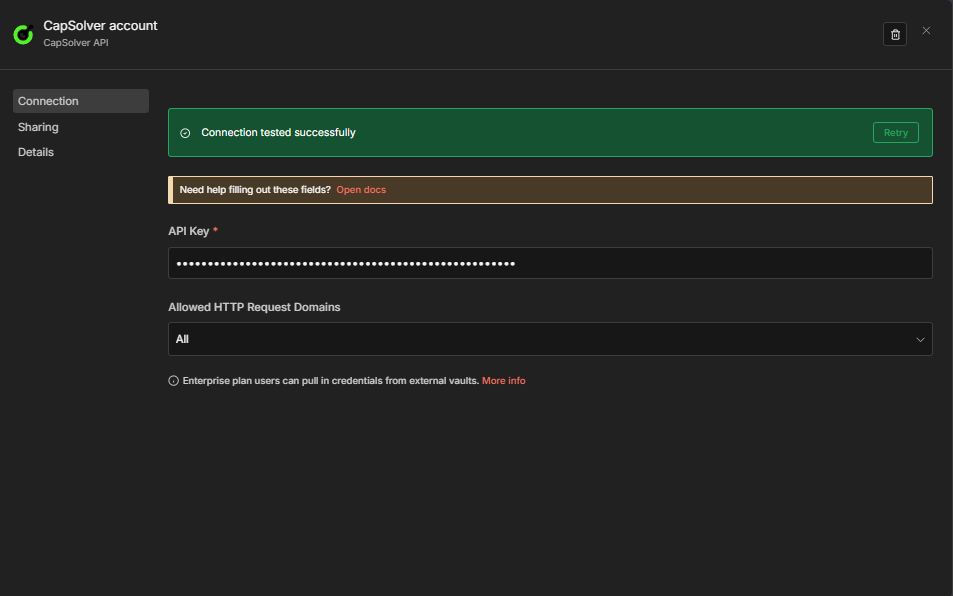
Important: Every CapSolver node in your workflows will reference this credential. You only need to create it once -- all your solver workflows will share the same credential.
Now you're ready to build your GeeTest V3 solver workflow!
How to Identify GeeTest V3 Parameters
Before you can solve a GeeTest V3 challenge, you need to find three things: the gt parameter, the challenge API endpoint, and understand how the challenge value is fetched dynamically.
Method 1: DevTools Network Tab
- Open DevTools (
F12) -> Network tab - Trigger the GeeTest challenge on the page
- Look for requests containing
gt=in the URL or responses containing"gt"and"challenge"fields - Common endpoint patterns:
/api/geetest/register/gt/register-slide/captcha?gt=...
- The response typically looks like:
json
{
  "gt": "81dc9bdb52d04dc20036dbd8313ed055",
  "challenge": "4a8a08f09d37b73795649038408b5f33ab",
  "success": 1,
  "new_captcha": true
}
Understanding the Dynamic Challenge
This is the most important concept for GeeTest V3 automation:
- The
gtvalue is static per site -- it stays the same across sessions - The
challengevalue is dynamic -- it changes every time and expires in ~60-120 seconds - You must fetch a fresh
challengeimmediately before sending the solve request to CapSolver - The challenge API endpoint is site-specific (e.g.,
https://example.com/api/geetest/register)
This means every GeeTest V3 workflow needs an extra HTTP Request node before the CapSolver node to fetch the fresh challenge. This is the key structural difference from reCAPTCHA or Turnstile workflows.
Tip: Add
?t={{ Date.now() }}to the challenge API URL as a cache-busting parameter to ensure you always get a fresh challenge.
For a detailed guide on identifying captcha parameters, check out the official CapSolver documentation.
Workflow: GeeTest V3 Solver API
This workflow creates a POST endpoint that accepts GeeTest V3 parameters and returns a solved challenge. Unlike reCAPTCHA or Turnstile solvers, the caller must provide the challenge value (freshly fetched) along with the gt and websiteURL.

How It Works
The workflow consists of four nodes:
- Webhook -- Receives incoming POST requests with GeeTest V3 parameters
- GeeTest V3 -- Sends the challenge to CapSolver and waits for a solution
- CapSolver Error? -- IF node that branches on whether solving failed (
$json.erroris not empty) - Respond to Webhook -- Returns the solution on success, or
{"error": "..."}on failure
Node Configuration
1. Webhook Node
| Setting | Value |
|---|---|
| HTTP Method | POST |
| Path | solver-geetest-v3 |
| Respond | Response Node |
This creates an endpoint at: https://your-n8n-instance.com/webhook/solver-geetest-v3
2. CapSolver GeeTest V3 Node
| Parameter | Value | Description |
|---|---|---|
| Operation | GeeTest V3 |
Must be set to GeeTest V3 |
| Type | GeeTestTaskProxyLess |
Only available option -- no proxy variant |
| Website URL | ={{ $json.body.websiteURL }} |
The URL of the page with the GeeTest challenge |
| GT | ={{ $json.body.gt }} |
The per-site GeeTest identifier |
| Challenge | ={{ $json.body.challenge }} |
The dynamic per-session challenge (must be fresh) |
| GeeTest API Server Subdomain | (Optional) | Custom GeeTest API server if the site uses one |
Also select your CapSolver credentials in the node.
3. CapSolver Error? Node (IF)
| Setting | Value |
|---|---|
| Condition | ={{ $json.error }} is not empty |
| True branch | Routes to the Error Respond to Webhook node |
| False branch | Routes to the Success Respond to Webhook node |
This makes the error path explicit on the canvas. The CapSolver node continues on error (onError: continueRegularOutput), so failures arrive here as { "error": "..." } rather than crashing the workflow.
4. Respond to Webhook Nodes
Success branch (false output of CapSolver Error?):
| Setting | Value |
|---|---|
| Respond With | JSON |
| Response Body | ={{ JSON.stringify($json.data) }} |
Test It
Send a POST request to your webhook endpoint:
bash
curl -X POST https://your-n8n-instance.com/webhook/solver-geetest-v3 \
  -H "Content-Type: application/json" \
  -d '{
    "websiteURL": "https://example.com/login",
    "gt": "81dc9bdb52d04dc20036dbd8313ed055",
    "challenge": "4a8a08f09d37b73795649038408b5f33ab"
  }'
Expected Response:
json
{
  "taskId": "abc123...",
  "solution": {
    "challenge": "4a8a08f09d37b73795649038408b5f33",
    "validate": "68f0c05d0c8a8b2b1e2f3a4b5c6d7e8f",
    "seccode": "68f0c05d0c8a8b2b1e2f3a4b5c6d7e8f|jordan"
  },
  "status": "ready"
}
Important: The
challengein the request body must be freshly fetched. If you send an expired challenge, CapSolver will fail to solve it. Challenges typically expire in 60-120 seconds.
Import This Workflow
Copy the JSON below and import it into n8n via Menu -> Import from JSON:
Click to expand workflow JSON
json
{
  "nodes": [
    {
      "parameters": {
        "content": "## GeeTest V3 \u2014 Solver API\n\n### How it works\n\n1. Receives a solver request via a webhook.\n2. Solves the GeeTest V3 captcha using capSolver.\n3. Checks if there was an error during the solving process.\n4. Responds to the webhook with an error or success message.\n5. Ends the workflow after sending the response.\n\n### Setup steps\n\n- [ ] Set up the webhook endpoint to receive solver requests.\n- [ ] Configure the capSolver node with the appropriate GeeTest V3 API credentials.\n\n### Customization\n\nAdjust the 'CapSolver Error?' node to handle different types of errors or responses.",
        "width": 480,
        "height": 608
      },
      "type": "n8n-nodes-base.stickyNote",
      "typeVersion": 1,
      "position": [
        -800,
        -240
      ],
      "id": "5ca04612-4476-453a-9f1d-a12d2483b7ee",
      "name": "Sticky Note"
    },
    {
      "parameters": {
        "content": "## Receive request and solve captcha\n\nHandles receiving the request and solving the captcha.",
        "width": 496,
        "height": 272,
        "color": 7
      },
      "type": "n8n-nodes-base.stickyNote",
      "typeVersion": 1,
      "position": [
        -240,
        -112
      ],
      "id": "542ea208-ffa4-4d26-a11a-64e293dcebc5",
      "name": "Sticky Note1"
    },
    {
      "parameters": {
        "content": "## Handle and respond to result\n\nChecks for errors in the solving process and responds appropriately.",
        "width": 496,
        "height": 496,
        "color": 7
      },
      "type": "n8n-nodes-base.stickyNote",
      "typeVersion": 1,
      "position": [
        352,
        -240
      ],
      "id": "56d6e3a1-3bca-4298-9554-baa040f6b4e6",
      "name": "Sticky Note2"
    },
    {
      "parameters": {
        "httpMethod": "POST",
        "path": "solver-geetest-v3",
        "responseMode": "responseNode",
        "options": {}
      },
      "type": "n8n-nodes-base.webhook",
      "typeVersion": 2.1,
      "position": [
        -192,
        0
      ],
      "id": "88888888-1111-1111-1111-888888880001",
      "name": "Receive Solver Request",
      "webhookId": "88888888-1111-aaaa-bbbb-888888880001",
      "onError": "continueRegularOutput"
    },
    {
      "parameters": {
        "operation": "GeeTest V3",
        "websiteURL": "={{ $json.body.websiteURL }}",
        "gt": "={{ $json.body.gt }}",
        "challenge": "={{ $json.body.challenge }}",
        "optional": {}
      },
      "type": "n8n-nodes-capsolver.capSolver",
      "typeVersion": 1,
      "position": [
        112,
        0
      ],
      "id": "88888888-1111-1111-1111-888888880002",
      "name": "GeeTest V3",
      "onError": "continueRegularOutput",
      "credentials": {
        "capSolverApi": {
          "id": "BeBFMAsySMsMGeE9",
          "name": "CapSolver account"
        }
      }
    },
    {
      "parameters": {
        "conditions": {
          "options": {
            "caseSensitive": true,
            "leftValue": "",
            "typeValidation": "loose",
            "version": 2
          },
          "conditions": [
            {
              "id": "capsolver-err-001",
              "leftValue": "={{ $json.error }}",
              "operator": {
                "type": "string",
                "operation": "isNotEmpty",
                "singleValue": true
              }
            }
          ],
          "combinator": "and"
        },
        "options": {}
      },
      "type": "n8n-nodes-base.if",
      "typeVersion": 2.2,
      "position": [
        400,
        0
      ],
      "id": "88888888-1111-1111-1111-888888880003",
      "name": "CapSolver Error?"
    },
    {
      "parameters": {
        "respondWith": "json",
        "responseBody": "={{ JSON.stringify({ error: $json.error }) }}",
        "options": {}
      },
      "type": "n8n-nodes-base.respondToWebhook",
      "typeVersion": 1.5,
      "position": [
        700,
        -100
      ],
      "id": "88888888-1111-1111-1111-888888880004",
      "name": "Respond to Webhook (Error)"
    },
    {
      "parameters": {
        "respondWith": "json",
        "responseBody": "={{ JSON.stringify($json.data) }}",
        "options": {}
      },
      "type": "n8n-nodes-base.respondToWebhook",
      "typeVersion": 1.5,
      "position": [
        700,
        100
      ],
      "id": "88888888-1111-1111-1111-888888880005",
      "name": "Respond to Webhook"
    }
  ],
  "connections": {
    "Receive Solver Request": {
      "main": [
        [
          {
            "node": "GeeTest V3",
            "type": "main",
            "index": 0
          }
        ]
      ]
    },
    "GeeTest V3": {
      "main": [
        [
          {
            "node": "CapSolver Error?",
            "type": "main",
            "index": 0
          }
        ]
      ]
    },
    "CapSolver Error?": {
      "main": [
        [
          {
            "node": "Respond to Webhook (Error)",
            "type": "main",
            "index": 0
          }
        ],
        [
          {
            "node": "Respond to Webhook",
            "type": "main",
            "index": 0
          }
        ]
      ]
    }
  },
  "pinData": {},
  "meta": {
    "instanceId": "962ff0267b713be0344b866fa54daae28de8ed2144e2e6867da355dae193ea1f"
  }
}
API Parameter Reference
The GeeTest V3 solver API endpoint accepts the following parameters:
| Parameter | Required | Description |
|---|---|---|
websiteURL |
Yes | The URL of the page hosting the GeeTest challenge |
gt |
Yes | The per-site GeeTest identifier (static) |
challenge |
Yes | The dynamic per-session challenge token (must be freshly fetched) |
geetestApiServerSubdomain |
No | Custom GeeTest API server subdomain |
Tip: The
gtparameter is typically found in the page source or in network requests to GeeTest's API. Thechallengemust be fetched from the site's challenge endpoint immediately before solving.
Compared to reCAPTCHA or Turnstile, GeeTest V3 has an additional required parameter (challenge) and returns three solution values instead of one token. The dynamic nature of the challenge parameter means you cannot cache or reuse it.
Workflow: Submitting GeeTest V3 Tokens to a Website
The API workflow above shows how to get a solved GeeTest V3 challenge. But what do you actually do with it?
In real-world automation, solving the challenge is only half the job. You need to submit the three solution values to the target website -- exactly as a browser would -- to unlock the data or action behind the GeeTest protection.
Here's the general pattern:
- Fetch the challenge -> GET the challenge API endpoint to get fresh
gtandchallengevalues - Solve the challenge -> Send
gt,challenge, andwebsiteURLto CapSolver - Submit the solution -> POST three form fields:
geetest_challenge,geetest_validate,geetest_seccode - Verify the response -> Check if the website accepted the solution
- Process the result -> Extract the data you need
Example: Solving & Submitting GeeTest V3
Workflow Flow
Manual Trigger -> Fetch Challenge -> CapSolver GeeTest V3 -> HTTP POST Request (3 fields) -> IF (check success) -> Edit FieldsHow It Works
- Manual Trigger -- Starts the workflow manually. You can replace this with any trigger.
- Fetch GeeTest Challenge -- HTTP GET to the site's challenge API endpoint (e.g.,
https://example.com/api/geetest/register?t={{ Date.now() }}). Returnsgtandchallenge. - CapSolver GeeTest V3 -- Solves the challenge:
- Operation:
GeeTest V3 - Website URL:
https://example.com/login - GT:
={{ $json.gt }} - Challenge:
={{ $json.challenge }}
- Operation:
- HTTP POST Request -- Submits the three solution values to the target website:
geetest_challenge:={{ $json.data.solution.challenge }}geetest_validate:={{ $json.data.solution.validate }}geetest_seccode:={{ $json.data.solution.seccode }}- Include any other form fields the site expects (e.g.,
username,password)
- IF Node -- Checks if the response indicates success
- Edit Fields -- Extracts the data you need from the response
Key concept: Every website handles GeeTest token submission differently. In this example, the three values go in form-urlencoded POST body fields. Other sites may expect them as JSON fields, query parameters, or through a separate verification endpoint. Always inspect the site's actual form submission (using DevTools Network tab) to see exactly how the values need to be sent.
Workflow: Use-Case Examples
The solver API and submission example above show the core pattern: fetch the challenge, solve it, submit the three values, process the result. The following workflows extend this pattern to production-ready use cases -- each with dual triggers (schedule + webhook), persistent state tracking, and structured output.
| Workflow | Purpose |
|---|---|
GeeTest V3 Scraping -- Price & Product Details |
Scrapes price and product name every 6 hours, compares against previous values stored in staticData, alerts on changes |
GeeTest V3 Account Login |
Logs into your own account on a GeeTest-protected site by fetching the challenge, solving it, then POSTing credentials with the three solution values |
Example 1: Scraping
This workflow scrapes a product page every 6 hours (schedule) or on demand (webhook), fetches a fresh GeeTest challenge, solves it via CapSolver, extracts the price using the HTML node, and compares it against the previously stored value.
Schedule path:
Every 6 Hours -> Fetch GeeTest Challenge -> Solve GeeTest V3 -> Fetch Product Page
  -> Extract Data -> Compare Data -> Data Changed? -> Build Alert / No Change
Webhook path:
Webhook Trigger -> Solve GeeTest V3 [Webhook] -> Fetch Product Page [Webhook]
  -> Extract Data -> Compare Data -> Data Changed? -> Build Alert / No Change -> Respond to Webhook
Key behaviors:
- Schedule path includes a Fetch GeeTest Challenge node that fetches fresh
gt+challengevalues from the target site's challenge API endpoint — configure this URL for your target - Webhook path expects the caller to provide
gt,challenge, andwebsiteURLin the POST body — no challenge fetch needed - The three solution values (
geetest_challenge,geetest_validate,geetest_seccode) are sent as form-urlencoded POST body fields - The HTML node extracts price and product name via CSS selectors (
.product-price,h1) $workflow.staticData.lastPricepersists the previous price across executions- Price comparison detects both drops (severity:
deal) and increases (severity:info)
Click to expand workflow JSON
json
{
"nodes": [
{
"parameters": {
"content": "## GeeTest V3 Scraping \u2014 Price & Product Monitor\n\n### How it works\n\n1. Initiates either on a schedule or via webhook.\n2. Solves the GeeTest V3 challenge to access the product page.\n3. Fetches and extracts product data from the website.\n4. Compares the current product data with previous data.\n5. Triggers alerts if changes are detected or records the status if unchanged.\n6. Responds to webhook triggers with alerts or status updates.\n\n### Setup steps\n\n- [ ] Set up scheduler for periodic checks every 6 hours.\n- [ ] Configure webhook URL for on-demand checking.\n- [ ] Define endpoint for GeeTest V3 challenge.\n- [ ] Set up authentication for all HTTP requests.\n\n### Customization\n\nAdjust the scraping frequency or webhook settings to suit monitoring needs.",
"width": 480,
"height": 896
},
"type": "n8n-nodes-base.stickyNote",
"typeVersion": 1,
"position": [
-1312,
-272
],
"id": "e0f2ca3b-c82c-4e02-a1f2-0126009ccf41",
"name": "Sticky Note"
},
{
"parameters": {
"content": "## Scheduled geetest solution\n\nTriggers every 6 hours to start geetest challenge solution.",
"width": 800,
"height": 272,
"color": 7
},
"type": "n8n-nodes-base.stickyNote",
"typeVersion": 1,
"position": [
-752,
-112
],
"id": "109c0516-db54-4076-b156-731e06998809",
"name": "Sticky Note1"
},
{
"parameters": {
"content": "## Scheduled product fetch\n\nFetches product page after geetest challenge is solved on schedule.",
"width": 496,
"height": 304,
"color": 7
},
"type": "n8n-nodes-base.stickyNote",
"typeVersion": 1,
"position": [
160,
-128
],
"id": "3852071c-406e-46bb-88ce-2f59499bbaa8",
"name": "Sticky Note2"
},
{
"parameters": {
"content": "## Data comparison and alert\n\nProcesses fetched data, comparing it and setting alerts if necessary.",
"width": 704,
"height": 464,
"color": 7
},
"type": "n8n-nodes-base.stickyNote",
"typeVersion": 1,
"position": [
752,
-272
],
"id": "8d18e6c7-a363-4a33-a444-410878ed0ae2",
"name": "Sticky Note3"
},
{
"parameters": {
"content": "## Webhook geetest solution\n\nProcesses webhook triggers to solve geetest challenge.",
"width": 800,
"height": 272,
"color": 7
},
"type": "n8n-nodes-base.stickyNote",
"typeVersion": 1,
"position": [
-752,
320
],
"id": "9e1792c6-358e-4f49-abd8-6b15d33b3271",
"name": "Sticky Note4"
},
{
"parameters": {
"content": "## Webhook product fetch\n\nFetches product page after geetest is solved via webhook.",
"width": 496,
"height": 304,
"color": 7
},
"type": "n8n-nodes-base.stickyNote",
"typeVersion": 1,
"position": [
160,
304
],
"id": "405f557c-1b5d-4e73-89c6-b22d24f69699",
"name": "Sticky Note5"
},
{
"parameters": {
"content": "## Webhook data comparison and response\n\nCompares data via webhook trigger, sets alerts, and responds.",
"width": 720,
"height": 544,
"color": 7
},
"type": "n8n-nodes-base.stickyNote",
"typeVersion": 1,
"position": [
752,
224
],
"id": "9b45fa4b-2241-4926-ac7c-647733bde20e",
"name": "Sticky Note6"
},
{
"parameters": {
"rule": {
"interval": [
{
"field": "hours",
"hoursInterval": 6
}
]
}
},
"type": "n8n-nodes-base.scheduleTrigger",
"typeVersion": 1.3,
"position": [
-704,
0
],
"id": "s-801",
"name": "Every 6 Hours"
},
{
"parameters": {
"url": "=https://YOUR-TARGET-SITE.com/api/geetest/register?t={{ Date.now() }}",
"options": {
"response": {
"response": {}
}
}
},
"type": "n8n-nodes-base.httpRequest",
"typeVersion": 4.3,
"position": [
-400,
0
],
"id": "s-802",
"name": "Fetch GeeTest Challenge"
},
{
"parameters": {
"operation": "GeeTest V3",
"websiteURL": "https://YOUR-TARGET-SITE.com/product-page",
"gt": "={{ $json.gt }}",
"challenge": "={{ $json.challenge }}",
"optional": {}
},
"type": "n8n-nodes-capsolver.capSolver",
"typeVersion": 1,
"position": [
-96,
0
],
"id": "s-803",
"name": "Solve GeeTest V3",
"credentials": {
"capSolverApi": {
"id": "BeBFMAsySMsMGeE9",
"name": "CapSolver account"
}
}
},
{
"parameters": {
"method": "POST",
"url": "https://YOUR-TARGET-SITE.com/product-page",
"sendHeaders": true,
"headerParameters": {
"parameters": [
{
"name": "user-agent",
"value": "Mozilla/5.0 (Windows NT 10.0; Win64; x64) AppleWebKit/537.36 (KHTML, like Gecko) Chrome/125.0.0.0 Safari/537.36"
},
{
"name": "content-type",
"value": "application/x-www-form-urlencoded"
}
]
},
"sendBody": true,
"contentType": "form-urlencoded",
"bodyParameters": {
"parameters": [
{
"name": "geetest_challenge",
"value": "={{ $('Solve GeeTest V3').item.json.data.solution.challenge }}"
},
{
"name": "geetest_validate",
"value": "={{ $('Solve GeeTest V3').item.json.data.solution.validate }}"
},
{
"name": "geetest_seccode",
"value": "={{ $('Solve GeeTest V3').item.json.data.solution.seccode }}"
}
]
},
"options": {
"response": {
"response": {}
}
}
},
"type": "n8n-nodes-base.httpRequest",
"typeVersion": 4.3,
"position": [
208,
0
],
"id": "s-804",
"name": "Fetch Product Page"
},
{
"parameters": {
"operation": "extractHtmlContent",
"extractionValues": {
"values": [
{
"key": "price",
"cssSelector": ".product-price, [data-price], .price"
},
{
"key": "productName",
"cssSelector": "h1, .product-title"
}
]
},
"options": {}
},
"type": "n8n-nodes-base.html",
"typeVersion": 1.2,
"position": [
512,
0
],
"id": "s-805",
"name": "Extract Data"
},
{
"parameters": {
"jsCode": "const staticData = $workflow.staticData;\nconst currentPrice = $input.first().json.price;\nconst previousPrice = staticData.lastPrice;\nconst productName = $input.first().json.productName || 'Product';\nconst parsePrice = (str) => { if (!str) return null; const match = str.match(/[\\d]+\\.?\\d*/); return match ? parseFloat(match[0].replace(',', '')) : null; };\nconst currentNum = parsePrice(currentPrice);\nconst previousNum = parsePrice(previousPrice);\nstaticData.lastPrice = currentPrice;\nstaticData.lastChecked = new Date().toISOString();\nconst changed = previousNum !== null && currentNum !== null && currentNum !== previousNum;\nconst direction = changed ? (currentNum < previousNum ? 'dropped' : 'increased') : 'unchanged';\nconst diff = changed ? Math.abs(currentNum - previousNum).toFixed(2) : '0';\nreturn [{ json: { productName, currentPrice, previousPrice: previousPrice || 'first check', changed, direction, diff: changed ? `$${diff}` : null, checkedAt: new Date().toISOString() } }];"
},
"type": "n8n-nodes-base.code",
"typeVersion": 2,
"position": [
800,
0
],
"id": "s-806",
"name": "Compare Data"
},
{
"parameters": {
"conditions": {
"options": {
"version": 2,
"leftValue": "",
"caseSensitive": true,
"typeValidation": "strict"
},
"conditions": [
{
"id": "if-1",
"leftValue": "={{ $json.changed }}",
"operator": {
"type": "boolean",
"operation": "true",
"singleValue": true
}
}
],
"combinator": "and"
},
"options": {}
},
"type": "n8n-nodes-base.if",
"typeVersion": 2.2,
"position": [
1104,
0
],
"id": "s-807",
"name": "Data Changed?"
},
{
"parameters": {
"assignments": {
"assignments": [
{
"id": "a1",
"name": "alert",
"value": "=Price {{ $json.direction }} for {{ $json.productName }}: {{ $json.previousPrice }} \u2192 {{ $json.currentPrice }}",
"type": "string"
},
{
"id": "a2",
"name": "severity",
"value": "={{ $json.direction === 'dropped' ? 'deal' : 'info' }}",
"type": "string"
},
{
"id": "a3",
"name": "checkedAt",
"value": "={{ $json.checkedAt }}",
"type": "string"
}
]
},
"options": {}
},
"type": "n8n-nodes-base.set",
"typeVersion": 3.4,
"position": [
1312,
-160
],
"id": "s-808",
"name": "Build Alert"
},
{
"parameters": {
"assignments": {
"assignments": [
{
"id": "n1",
"name": "status",
"value": "no_change",
"type": "string"
},
{
"id": "n2",
"name": "currentPrice",
"value": "={{ $json.currentPrice }}",
"type": "string"
},
{
"id": "n3",
"name": "checkedAt",
"value": "={{ $json.checkedAt }}",
"type": "string"
}
]
},
"options": {}
},
"type": "n8n-nodes-base.set",
"typeVersion": 3.4,
"position": [
1312,
32
],
"id": "s-809",
"name": "No Change"
},
{
"parameters": {
"httpMethod": "POST",
"path": "price-monitor-geetest-v3",
"responseMode": "responseNode",
"options": {}
},
"type": "n8n-nodes-base.webhook",
"typeVersion": 2.1,
"position": [
-704,
432
],
"id": "s-810",
"name": "Webhook Trigger",
"webhookId": "s-810-webhook",
"onError": "continueRegularOutput"
},
{
"parameters": {
"operation": "GeeTest V3",
"websiteURL": "={{ $json.body.websiteURL }}",
"gt": "={{ $json.body.gt }}",
"challenge": "={{ $json.body.challenge }}",
"optional": {}
},
"type": "n8n-nodes-capsolver.capSolver",
"typeVersion": 1,
"position": [
-96,
432
],
"id": "s-812",
"name": "Solve GeeTest V3 [Webhook]",
"credentials": {
"capSolverApi": {
"id": "BeBFMAsySMsMGeE9",
"name": "CapSolver account"
}
}
},
{
"parameters": {
"method": "POST",
"url": "https://YOUR-TARGET-SITE.com/product-page",
"sendHeaders": true,
"headerParameters": {
"parameters": [
{
"name": "user-agent",
"value": "Mozilla/5.0 (Windows NT 10.0; Win64; x64) AppleWebKit/537.36 (KHTML, like Gecko) Chrome/125.0.0.0 Safari/537.36"
},
{
"name": "content-type",
"value": "application/x-www-form-urlencoded"
}
]
},
"sendBody": true,
"contentType": "form-urlencoded",
"bodyParameters": {
"parameters": [
{
"name": "geetest_challenge",
"value": "={{ $('Solve GeeTest V3 [Webhook]').item.json.data.solution.challenge }}"
},
{
"name": "geetest_validate",
"value": "={{ $('Solve GeeTest V3 [Webhook]').item.json.data.solution.validate }}"
},
{
"name": "geetest_seccode",
"value": "={{ $('Solve GeeTest V3 [Webhook]').item.json.data.solution.seccode }}"
}
]
},
"options": {
"response": {
"response": {}
}
}
},
"type": "n8n-nodes-base.httpRequest",
"typeVersion": 4.3,
"position": [
208,
432
],
"id": "s-813",
"name": "Fetch Product Page [Webhook]"
},
{
"parameters": {
"operation": "extractHtmlContent",
"extractionValues": {
"values": [
{
"key": "price",
"cssSelector": ".product-price, [data-price], .price"
},
{
"key": "productName",
"cssSelector": "h1, .product-title"
}
]
},
"options": {}
},
"type": "n8n-nodes-base.html",
"typeVersion": 1.2,
"position": [
512,
432
],
"id": "s-814",
"name": "Extract Data [Webhook]"
},
{
"parameters": {
"jsCode": "const staticData = $workflow.staticData;\nconst currentPrice = $input.first().json.price;\nconst previousPrice = staticData.lastPrice;\nconst productName = $input.first().json.productName || 'Product';\nconst parsePrice = (str) => { if (!str) return null; const match = str.match(/[\\d]+\\.?\\d*/); return match ? parseFloat(match[0].replace(',', '')) : null; };\nconst currentNum = parsePrice(currentPrice);\nconst previousNum = parsePrice(previousPrice);\nstaticData.lastPrice = currentPrice;\nstaticData.lastChecked = new Date().toISOString();\nconst changed = previousNum !== null && currentNum !== null && currentNum !== previousNum;\nconst direction = changed ? (currentNum < previousNum ? 'dropped' : 'increased') : 'unchanged';\nconst diff = changed ? Math.abs(currentNum - previousNum).toFixed(2) : '0';\nreturn [{ json: { productName, currentPrice, previousPrice: previousPrice || 'first check', changed, direction, diff: changed ? `$${diff}` : null, checkedAt: new Date().toISOString() } }];"
},
"type": "n8n-nodes-base.code",
"typeVersion": 2,
"position": [
800,
512
],
"id": "s-815",
"name": "Compare Data [Webhook]"
},
{
"parameters": {
"conditions": {
"options": {
"version": 2,
"leftValue": "",
"caseSensitive": true,
"typeValidation": "strict"
},
"conditions": [
{
"id": "if-2",
"leftValue": "={{ $json.changed }}",
"operator": {
"type": "boolean",
"operation": "true",
"singleValue": true
}
}
],
"combinator": "and"
},
"options": {}
},
"type": "n8n-nodes-base.if",
"typeVersion": 2.2,
"position": [
976,
512
],
"id": "s-816",
"name": "Data Changed? [Webhook]"
},
{
"parameters": {
"assignments": {
"assignments": [
{
"id": "a4",
"name": "alert",
"value": "=Price {{ $json.direction }} for {{ $json.productName }}: {{ $json.previousPrice }} \u2192 {{ $json.currentPrice }}",
"type": "string"
},
{
"id": "a5",
"name": "severity",
"value": "={{ $json.direction === 'dropped' ? 'deal' : 'info' }}",
"type": "string"
},
{
"id": "a6",
"name": "checkedAt",
"value": "={{ $json.checkedAt }}",
"type": "string"
}
]
},
"options": {}
},
"type": "n8n-nodes-base.set",
"typeVersion": 3.4,
"position": [
1136,
336
],
"id": "s-817",
"name": "Build Alert [Webhook]"
},
{
"parameters": {
"assignments": {
"assignments": [
{
"id": "n4",
"name": "status",
"value": "no_change",
"type": "string"
},
{
"id": "n5",
"name": "currentPrice",
"value": "={{ $json.currentPrice }}",
"type": "string"
},
{
"id": "n6",
"name": "checkedAt",
"value": "={{ $json.checkedAt }}",
"type": "string"
}
]
},
"options": {}
},
"type": "n8n-nodes-base.set",
"typeVersion": 3.4,
"position": [
1136,
608
],
"id": "s-818",
"name": "No Change [Webhook]"
},
{
"parameters": {
"respondWith": "json",
"responseBody": "={{ JSON.stringify($json) }}",
"options": {}
},
"type": "n8n-nodes-base.respondToWebhook",
"typeVersion": 1.5,
"position": [
1328,
480
],
"id": "s-819",
"name": "Respond to Webhook"
}
],
"connections": {
"Every 6 Hours": {
"main": [
[
{
"node": "Fetch GeeTest Challenge",
"type": "main",
"index": 0
}
]
]
},
"Fetch GeeTest Challenge": {
"main": [
[
{
"node": "Solve GeeTest V3",
"type": "main",
"index": 0
}
]
]
},
"Solve GeeTest V3": {
"main": [
[
{
"node": "Fetch Product Page",
"type": "main",
"index": 0
}
]
]
},
"Fetch Product Page": {
"main": [
[
{
"node": "Extract Data",
"type": "main",
"index": 0
}
]
]
},
"Extract Data": {
"main": [
[
{
"node": "Compare Data",
"type": "main",
"index": 0
}
]
]
},
"Compare Data": {
"main": [
[
{
"node": "Data Changed?",
"type": "main",
"index": 0
}
]
]
},
"Data Changed?": {
"main": [
[
{
"node": "Build Alert",
"type": "main",
"index": 0
}
],
[
{
"node": "No Change",
"type": "main",
"index": 0
}
]
]
},
"Webhook Trigger": {
"main": [
[
{
"node": "Solve GeeTest V3 [Webhook]",
"type": "main",
"index": 0
}
]
]
},
"Solve GeeTest V3 [Webhook]": {
"main": [
[
{
"node": "Fetch Product Page [Webhook]",
"type": "main",
"index": 0
}
]
]
},
"Fetch Product Page [Webhook]": {
"main": [
[
{
"node": "Extract Data [Webhook]",
"type": "main",
"index": 0
}
]
]
},
"Extract Data [Webhook]": {
"main": [
[
{
"node": "Compare Data [Webhook]",
"type": "main",
"index": 0
}
]
]
},
"Compare Data [Webhook]": {
"main": [
[
{
"node": "Data Changed? [Webhook]",
"type": "main",
"index": 0
}
]
]
},
"Data Changed? [Webhook]": {
"main": [
[
{
"node": "Build Alert [Webhook]",
"type": "main",
"index": 0
}
],
[
{
"node": "No Change [Webhook]",
"type": "main",
"index": 0
}
]
]
},
"Build Alert [Webhook]": {
"main": [
[
{
"node": "Respond to Webhook",
"type": "main",
"index": 0
}
]
]
},
"No Change [Webhook]": {
"main": [
[
{
"node": "Respond to Webhook",
"type": "main",
"index": 0
}
]
]
}
},
"pinData": {},
"meta": {
"instanceId": "962ff0267b713be0344b866fa54daae28de8ed2144e2e6867da355dae193ea1f"
}
}Example 2: Account Login
This workflow automates login to a GeeTest V3-protected site. A Set Login Config node centralizes all parameters -- including the challengeAPIURL for fetching the dynamic challenge. The Fetch GeeTest Challenge node runs before each solve to get a fresh challenge value.
Schedule path:
Every 24 Hours -> Set Login Config -> Fetch GeeTest Challenge -> Solve GeeTest V3
  -> Submit Login -> Login Successful? -> Mark Login Success / Mark Login Failed
Webhook path:
Webhook Trigger -> Solve GeeTest V3 [Webhook] -> Submit Login [Webhook]
  -> Login Successful? -> Mark Login Success / Mark Login Failed -> Respond to Webhook
Key behaviors:
- Schedule path: The Set Login Config node includes
challengeAPIURL(the endpoint to fetch freshgt+challengevalues) andgt(static per site). A Fetch GeeTest Challenge node fetches a fresh challenge before each solve attempt. - Webhook path: The caller provides
gt,challenge,websiteURL, credentials, andloginActionURLin the POST body -- no challenge fetch needed - Body parameters include username, password, plus three GeeTest fields:
geetest_challenge,geetest_validate,geetest_seccode - No
websiteKeyortokenFieldName-- GeeTest V3 usesgt+challengeand always submits via three fixed field names - The Login Successful? check evaluates both
statusCode < 400and the presence of a configurablesuccessMarkerin the response body
Click to expand workflow JSON
json
{
"nodes": [
{
"parameters": {
"content": "## GeeTest V3 Account Login\n\n### How it works\n\n1. Initiates scheduled workflow every 24 hours and configures login settings.\n2. Fetches GeeTest challenge for scheduled processes.\n3. Solves the GeeTest V3 challenge for scheduled and webhook triggers.\n4. Submits login request and evaluates the success or failure.\n5. Marks the login attempt and responds appropriately if triggered by webhook.\n\n### Setup steps\n\n- [ ] Configure the schedule trigger for 'Every 24 Hours' node.\n- [ ] Set the webhook URL for the 'Webhook Trigger' node.\n- [ ] Ensure the GeeTest credentials and API details are correctly set for 'Set Login Config [Schedule]' node.\n- [ ] Ensure 'Solve GeeTest V3' nodes are properly configured with capSolver details.\n\n### Customization\n\nUsers might need to customize the URLs and field names specific to their login configuration.",
"width": 480,
"height": 896
},
"type": "n8n-nodes-base.stickyNote",
"typeVersion": 1,
"position": [
-1552,
-208
],
"id": "19c01225-b35f-4476-abfd-dda858428a96",
"name": "Sticky Note"
},
{
"parameters": {
"content": "## Scheduled trigger and config\n\nInitiates the scheduled workflow and sets login configuration details.",
"width": 496,
"height": 304,
"color": 7
},
"type": "n8n-nodes-base.stickyNote",
"typeVersion": 1,
"position": [
-992,
-128
],
"id": "94d1acf4-bc74-4be4-9f13-802f3d319dee",
"name": "Sticky Note1"
},
{
"parameters": {
"content": "## Scheduled challenge solution\n\nFetches and solves GeeTest challenge for scheduled workflow and submits login.",
"width": 800,
"height": 272,
"color": 7
},
"type": "n8n-nodes-base.stickyNote",
"typeVersion": 1,
"position": [
-384,
-112
],
"id": "14b743de-a392-410a-883c-0cb4c121ea08",
"name": "Sticky Note2"
},
{
"parameters": {
"content": "## Scheduled login evaluation\n\nChecks login success or failure and marks the outcome for the scheduled workflow.",
"width": 496,
"height": 512,
"color": 7
},
"type": "n8n-nodes-base.stickyNote",
"typeVersion": 1,
"position": [
528,
-208
],
"id": "1333cc41-cd60-4115-a756-9ad3b275d66e",
"name": "Sticky Note3"
},
{
"parameters": {
"content": "## Webhook triggered login\n\nHandles the webhook-triggered GeeTest challenge solving and login submission.",
"width": 1408,
"height": 272,
"color": 7
},
"type": "n8n-nodes-base.stickyNote",
"typeVersion": 1,
"position": [
-992,
320
],
"id": "844d2b79-b221-424f-bd78-890fdc28bde8",
"name": "Sticky Note4"
},
{
"parameters": {
"content": "## Webhook login evaluation\n\nEvaluates success or failure of webhook-based login and sends response.",
"width": 704,
"height": 464,
"color": 7
},
"type": "n8n-nodes-base.stickyNote",
"typeVersion": 1,
"position": [
528,
336
],
"id": "33640ec5-758d-47a3-b20c-473c3d125686",
"name": "Sticky Note5"
},
{
"parameters": {
"rule": {
"interval": [
{
"field": "hours",
"hoursInterval": 24
}
]
}
},
"type": "n8n-nodes-base.scheduleTrigger",
"typeVersion": 1.3,
"position": [
-944,
0
],
"id": "l-821",
"name": "Every 24 Hours"
},
{
"parameters": {
"assignments": {
"assignments": [
{
"id": "l1",
"name": "websiteURL",
"value": "https://YOUR-LOGIN-PAGE.com",
"type": "string"
},
{
"id": "l2",
"name": "gt",
"value": "YOUR_GT_PARAMETER_HERE",
"type": "string"
},
{
"id": "l3",
"name": "challengeAPIURL",
"value": "https://YOUR-LOGIN-PAGE.com/api/geetest/register",
"type": "string"
},
{
"id": "l4",
"name": "usernameField",
"value": "email",
"type": "string"
},
{
"id": "l5",
"name": "passwordField",
"value": "password",
"type": "string"
},
{
"id": "l6",
"name": "usernameValue",
"value": "your-email@example.com",
"type": "string"
},
{
"id": "l7",
"name": "passwordValue",
"value": "YOUR_ACCOUNT_PASSWORD",
"type": "string"
},
{
"id": "l8",
"name": "successMarker",
"value": "account-dashboard",
"type": "string"
},
{
"id": "l9",
"name": "userAgent",
"value": "Mozilla/5.0 (Windows NT 10.0; Win64; x64) AppleWebKit/537.36 (KHTML, like Gecko) Chrome/125.0.0.0 Safari/537.36",
"type": "string"
}
]
},
"options": {}
},
"type": "n8n-nodes-base.set",
"typeVersion": 3.4,
"position": [
-640,
0
],
"id": "l-822",
"name": "Set Login Config [Schedule]"
},
{
"parameters": {
"url": "={{ $json.challengeAPIURL }}?t={{ Date.now() }}",
"options": {
"response": {
"response": {}
}
}
},
"type": "n8n-nodes-base.httpRequest",
"typeVersion": 4.3,
"position": [
-336,
0
],
"id": "l-823",
"name": "Fetch GeeTest Challenge [Schedule]"
},
{
"parameters": {
"operation": "GeeTest V3",
"websiteURL": "={{ $('Set Login Config [Schedule]').item.json.websiteURL }}",
"gt": "={{ $json.gt }}",
"challenge": "={{ $json.challenge }}",
"optional": {}
},
"type": "n8n-nodes-capsolver.capSolver",
"typeVersion": 1,
"position": [
-32,
0
],
"id": "l-824",
"name": "Solve GeeTest V3 [Schedule]",
"credentials": {
"capSolverApi": {
"id": "BeBFMAsySMsMGeE9",
"name": "CapSolver account"
}
}
},
{
"parameters": {
"method": "POST",
"url": "={{ $('Set Login Config [Schedule]').item.json.websiteURL }}/login",
"sendHeaders": true,
"headerParameters": {
"parameters": [
{
"name": "content-type",
"value": "application/x-www-form-urlencoded"
},
{
"name": "user-agent",
"value": "={{ $('Set Login Config [Schedule]').item.json.userAgent }}"
}
]
},
"sendBody": true,
"contentType": "form-urlencoded",
"bodyParameters": {
"parameters": [
{
"name": "={{ $('Set Login Config [Schedule]').item.json.usernameField }}",
"value": "={{ $('Set Login Config [Schedule]').item.json.usernameValue }}"
},
{
"name": "={{ $('Set Login Config [Schedule]').item.json.passwordField }}",
"value": "={{ $('Set Login Config [Schedule]').item.json.passwordValue }}"
},
{
"name": "geetest_challenge",
"value": "={{ $json.data.solution.challenge }}"
},
{
"name": "geetest_validate",
"value": "={{ $json.data.solution.validate }}"
},
{
"name": "geetest_seccode",
"value": "={{ $json.data.solution.seccode }}"
}
]
},
"options": {
"response": {
"response": {
"fullResponse": true,
"neverError": true
}
}
}
},
"type": "n8n-nodes-base.httpRequest",
"typeVersion": 4.3,
"position": [
272,
0
],
"id": "l-825",
"name": "Submit Login [Schedule]"
},
{
"parameters": {
"conditions": {
"options": {
"version": 2,
"leftValue": "",
"caseSensitive": false,
"typeValidation": "strict"
},
"conditions": [
{
"id": "lif1",
"leftValue": "={{ $json.statusCode < 400 && String($json.body || $json.data || '').includes($('Set Login Config [Schedule]').item.json.successMarker) }}",
"operator": {
"type": "boolean",
"operation": "true",
"singleValue": true
}
}
],
"combinator": "and"
},
"options": {}
},
"type": "n8n-nodes-base.if",
"typeVersion": 2.2,
"position": [
576,
0
],
"id": "l-826",
"name": "Login Successful? [Schedule]"
},
{
"parameters": {
"assignments": {
"assignments": [
{
"id": "ls1",
"name": "action",
"value": "account_login",
"type": "string"
},
{
"id": "ls2",
"name": "status",
"value": "success",
"type": "string"
},
{
"id": "ls3",
"name": "message",
"value": "Configured account login flow succeeded",
"type": "string"
},
{
"id": "ls4",
"name": "checkedAt",
"value": "={{ new Date().toISOString() }}",
"type": "string"
}
]
},
"options": {}
},
"type": "n8n-nodes-base.set",
"typeVersion": 3.4,
"position": [
880,
-80
],
"id": "l-827",
"name": "Mark Login Success [Schedule]"
},
{
"parameters": {
"assignments": {
"assignments": [
{
"id": "lf1",
"name": "action",
"value": "account_login",
"type": "string"
},
{
"id": "lf2",
"name": "status",
"value": "failed",
"type": "string"
},
{
"id": "lf3",
"name": "statusCode",
"value": "={{ $json.statusCode }}",
"type": "number"
},
{
"id": "lf4",
"name": "message",
"value": "Login response did not match the configured success marker",
"type": "string"
},
{
"id": "lf5",
"name": "checkedAt",
"value": "={{ new Date().toISOString() }}",
"type": "string"
}
]
},
"options": {}
},
"type": "n8n-nodes-base.set",
"typeVersion": 3.4,
"position": [
880,
128
],
"id": "l-828",
"name": "Mark Login Failed [Schedule]"
},
{
"parameters": {
"httpMethod": "POST",
"path": "account-login-geetest-v3",
"responseMode": "responseNode",
"options": {}
},
"type": "n8n-nodes-base.webhook",
"typeVersion": 2.1,
"position": [
-944,
432
],
"id": "l-829",
"name": "Webhook Trigger",
"webhookId": "l-829-webhook",
"onError": "continueRegularOutput"
},
{
"parameters": {
"operation": "GeeTest V3",
"websiteURL": "={{ $json.body.websiteURL }}",
"gt": "={{ $json.body.gt }}",
"challenge": "={{ $json.body.challenge }}",
"optional": {}
},
"type": "n8n-nodes-capsolver.capSolver",
"typeVersion": 1,
"position": [
-32,
432
],
"id": "l-831",
"name": "Solve GeeTest V3 [Webhook]",
"credentials": {
"capSolverApi": {
"id": "BeBFMAsySMsMGeE9",
"name": "CapSolver account"
}
}
},
{
"parameters": {
"method": "POST",
"url": "={{ $('Webhook Trigger').item.json.body.loginActionURL }}",
"sendHeaders": true,
"headerParameters": {
"parameters": [
{
"name": "content-type",
"value": "application/x-www-form-urlencoded"
},
{
"name": "user-agent",
"value": "={{ $('Webhook Trigger').item.json.body.userAgent || 'Mozilla/5.0 (Windows NT 10.0; Win64; x64) AppleWebKit/537.36 (KHTML, like Gecko) Chrome/125.0.0.0 Safari/537.36' }}"
}
]
},
"sendBody": true,
"contentType": "form-urlencoded",
"bodyParameters": {
"parameters": [
{
"name": "={{ $('Webhook Trigger').item.json.body.usernameField || 'email' }}",
"value": "={{ $('Webhook Trigger').item.json.body.usernameValue }}"
},
{
"name": "={{ $('Webhook Trigger').item.json.body.passwordField || 'password' }}",
"value": "={{ $('Webhook Trigger').item.json.body.passwordValue }}"
},
{
"name": "geetest_challenge",
"value": "={{ $json.data.solution.challenge }}"
},
{
"name": "geetest_validate",
"value": "={{ $json.data.solution.validate }}"
},
{
"name": "geetest_seccode",
"value": "={{ $json.data.solution.seccode }}"
}
]
},
"options": {
"response": {
"response": {
"fullResponse": true,
"neverError": true
}
}
}
},
"type": "n8n-nodes-base.httpRequest",
"typeVersion": 4.3,
"position": [
272,
432
],
"id": "l-832",
"name": "Submit Login [Webhook]"
},
{
"parameters": {
"conditions": {
"options": {
"version": 2,
"leftValue": "",
"caseSensitive": false,
"typeValidation": "strict"
},
"conditions": [
{
"id": "lif2",
"leftValue": "={{ $json.statusCode < 400 && String($json.body || $json.data || '').includes($('Webhook Trigger').item.json.body.successMarker) }}",
"operator": {
"type": "boolean",
"operation": "true",
"singleValue": true
}
}
],
"combinator": "and"
},
"options": {}
},
"type": "n8n-nodes-base.if",
"typeVersion": 2.2,
"position": [
576,
528
],
"id": "l-833",
"name": "Login Successful? [Webhook]"
},
{
"parameters": {
"assignments": {
"assignments": [
{
"id": "ws1",
"name": "action",
"value": "account_login",
"type": "string"
},
{
"id": "ws2",
"name": "status",
"value": "success",
"type": "string"
},
{
"id": "ws3",
"name": "message",
"value": "Configured account login flow succeeded",
"type": "string"
},
{
"id": "ws4",
"name": "checkedAt",
"value": "={{ new Date().toISOString() }}",
"type": "string"
}
]
},
"options": {}
},
"type": "n8n-nodes-base.set",
"typeVersion": 3.4,
"position": [
880,
448
],
"id": "l-834",
"name": "Mark Login Success [Webhook]"
},
{
"parameters": {
"assignments": {
"assignments": [
{
"id": "wf1",
"name": "action",
"value": "account_login",
"type": "string"
},
{
"id": "wf2",
"name": "status",
"value": "failed",
"type": "string"
},
{
"id": "wf3",
"name": "statusCode",
"value": "={{ $json.statusCode }}",
"type": "number"
},
{
"id": "wf4",
"name": "message",
"value": "Login response did not match the configured success marker",
"type": "string"
},
{
"id": "wf5",
"name": "checkedAt",
"value": "={{ new Date().toISOString() }}",
"type": "string"
}
]
},
"options": {}
},
"type": "n8n-nodes-base.set",
"typeVersion": 3.4,
"position": [
880,
640
],
"id": "l-835",
"name": "Mark Login Failed [Webhook]"
},
{
"parameters": {
"respondWith": "json",
"responseBody": "={{ JSON.stringify($json) }}",
"options": {}
},
"type": "n8n-nodes-base.respondToWebhook",
"typeVersion": 1.5,
"position": [
1088,
496
],
"id": "l-836",
"name": "Respond to Webhook"
}
],
"connections": {
"Every 24 Hours": {
"main": [
[
{
"node": "Set Login Config [Schedule]",
"type": "main",
"index": 0
}
]
]
},
"Set Login Config [Schedule]": {
"main": [
[
{
"node": "Fetch GeeTest Challenge [Schedule]",
"type": "main",
"index": 0
}
]
]
},
"Fetch GeeTest Challenge [Schedule]": {
"main": [
[
{
"node": "Solve GeeTest V3 [Schedule]",
"type": "main",
"index": 0
}
]
]
},
"Solve GeeTest V3 [Schedule]": {
"main": [
[
{
"node": "Submit Login [Schedule]",
"type": "main",
"index": 0
}
]
]
},
"Submit Login [Schedule]": {
"main": [
[
{
"node": "Login Successful? [Schedule]",
"type": "main",
"index": 0
}
]
]
},
"Login Successful? [Schedule]": {
"main": [
[
{
"node": "Mark Login Success [Schedule]",
"type": "main",
"index": 0
}
],
[
{
"node": "Mark Login Failed [Schedule]",
"type": "main",
"index": 0
}
]
]
},
"Webhook Trigger": {
"main": [
[
{
"node": "Solve GeeTest V3 [Webhook]",
"type": "main",
"index": 0
}
]
]
},
"Solve GeeTest V3 [Webhook]": {
"main": [
[
{
"node": "Submit Login [Webhook]",
"type": "main",
"index": 0
}
]
]
},
"Submit Login [Webhook]": {
"main": [
[
{
"node": "Login Successful? [Webhook]",
"type": "main",
"index": 0
}
]
]
},
"Login Successful? [Webhook]": {
"main": [
[
{
"node": "Mark Login Success [Webhook]",
"type": "main",
"index": 0
}
],
[
{
"node": "Mark Login Failed [Webhook]",
"type": "main",
"index": 0
}
]
]
},
"Mark Login Success [Webhook]": {
"main": [
[
{
"node": "Respond to Webhook",
"type": "main",
"index": 0
}
]
]
},
"Mark Login Failed [Webhook]": {
"main": [
[
{
"node": "Respond to Webhook",
"type": "main",
"index": 0
}
]
]
}
},
"pinData": {},
"meta": {
"instanceId": "962ff0267b713be0344b866fa54daae28de8ed2144e2e6867da355dae193ea1f"
}
}Conclusion
You've learned how to build a GeeTest V3-solving API and production-ready scraping and login workflows using n8n and CapSolver -- no traditional coding required.
In this guide, we covered:
- An API solver endpoint for GeeTest V3 using a webhook-based workflow
- Use-case examples -- scraping and account login -- showing how to fetch dynamic challenges, submit solved tokens, and process protected data
- How to identify GeeTest V3 parameters (
gt,challenge, and the challenge API endpoint) - The key difference from other CAPTCHAs -- GeeTest V3's
challengeis dynamic and must be fetched fresh before each solve, and the solution returns 3 values instead of 1
The key takeaway: GeeTest V3 requires an extra step compared to reCAPTCHA or Turnstile -- you must fetch a fresh challenge value before each solve. The solution is also 3 fields (geetest_challenge, geetest_validate, geetest_seccode) rather than a single token.
Tip: These workflows use Schedule + Webhook triggers, but you can swap the trigger node to any n8n trigger -- manual, app event, form submission, etc. After fetching data, use n8n's built-in nodes to save results to Google Sheets, databases, cloud storage, or send alerts via Telegram/Slack/Email.
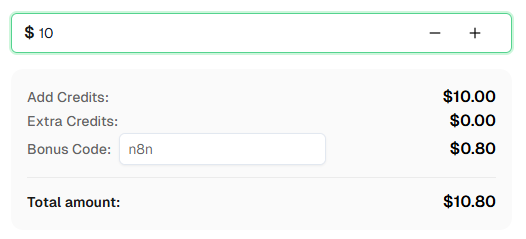
Ready to get started? Sign up for CapSolver and use bonus code n8n for an extra 8% bonus on your first recharge!
Frequently Asked Questions
What is GeeTest V3?
GeeTest V3 is a challenge-response CAPTCHA system that verifies users through interactive tasks like slide puzzles, icon clicks, and word matching. It uses two key parameters: gt (static per site) and challenge (dynamic per session), and returns three solution values instead of a single token.
How much does it cost to solve a GeeTest V3 challenge?
Pricing varies based on usage. Check the CapSolver pricing page for current GeeTest rates.
How long does it take to solve a GeeTest V3 challenge?
GeeTest V3 challenges are typically solved in 5-15 seconds depending on the challenge type and complexity.
Can I use this workflow with n8n Cloud?
Yes! This workflow works with both self-hosted n8n and n8n Cloud. The CapSolver node is already available as an official integration -- just add your API credentials.
How do I find the gt and challenge API endpoint for a website?
Open DevTools (F12) -> Network tab and look for requests containing gt= in the URL or responses with "gt" and "challenge" JSON fields. Common endpoint patterns include /api/geetest/register, /gt/register-slide, and /captcha?gt=....
What is the difference between GeeTest V3 and V4?
GeeTest V3 uses gt + challenge parameters and requires fetching a fresh challenge before each solve. GeeTest V4 uses a captcha_id parameter instead and has a different API structure. If you see captcha_id in the page source, you're dealing with V4, not V3.
CapSolver returned solution values but the website still rejected them -- why?
Several things can cause this. First, the challenge expires quickly (60-120 seconds) -- make sure you're fetching a fresh challenge immediately before solving and submitting the solution immediately after. Second, verify the three form field names match what the site expects: most sites use geetest_challenge, geetest_validate, and geetest_seccode, but some may use different names. Inspect the actual form submission in DevTools -> Network tab. Third, some sites require the optional geetestApiServerSubdomain parameter. If the solution is still rejected, contact CapSolver support for site-specific help.
Compliance Disclaimer: The information provided on this blog is for informational purposes only. CapSolver is committed to compliance with all applicable laws and regulations. The use of the CapSolver network for illegal, fraudulent, or abusive activities is strictly prohibited and will be investigated. Our captcha-solving solutions enhance user experience while ensuring 100% compliance in helping solve captcha difficulties during public data crawling. We encourage responsible use of our services. For more information, please visit our Terms of Service and Privacy Policy.
More
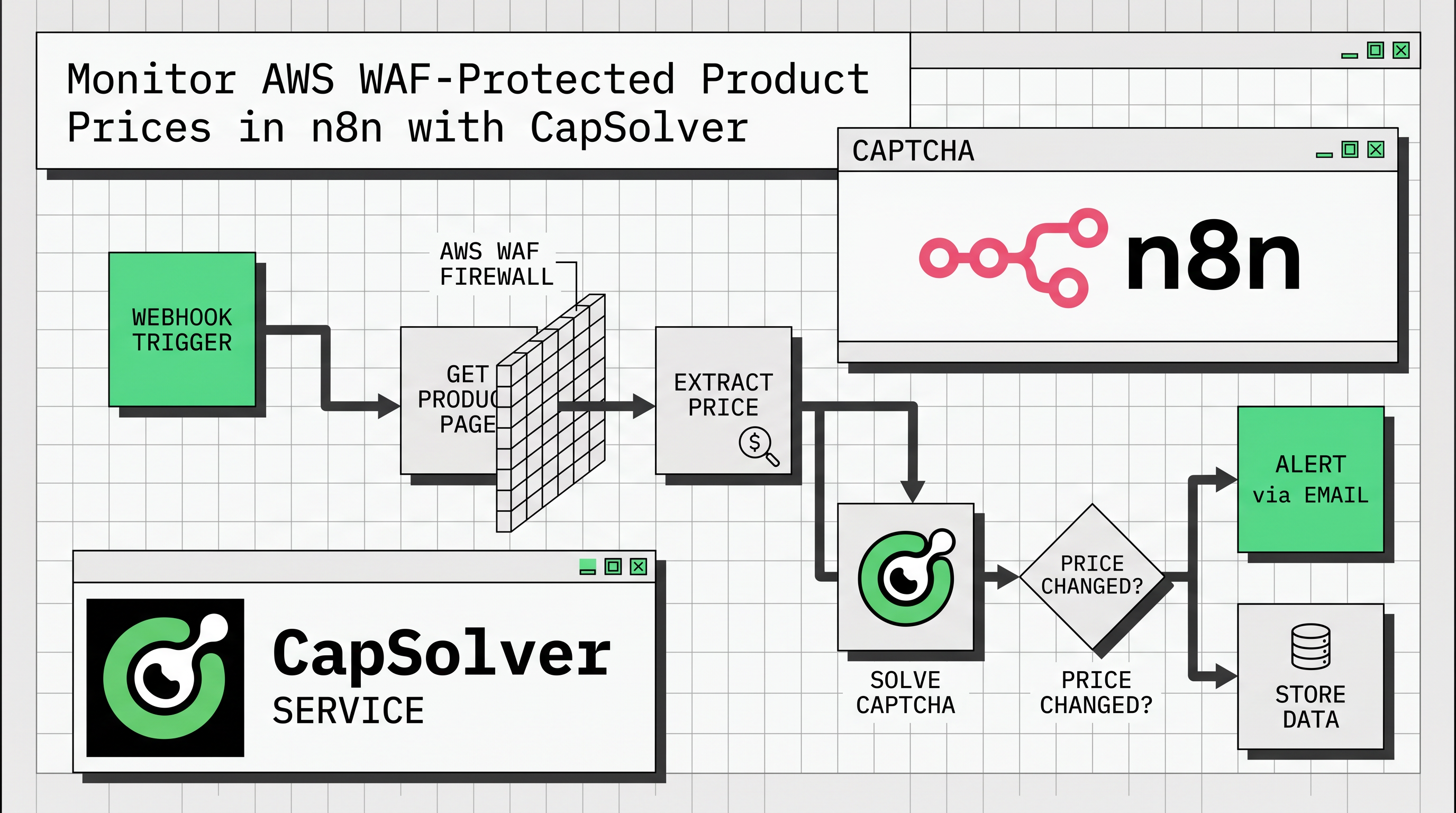
Monitor AWS WAF-Protected Product Prices in n8n with CapSolver
Learn how to use the CapSolver n8n template to monitor AWS WAF-protected product pages, solve challenges, extract prices, compare changes, and trigger alerts automatically.
Ethan Collins
29-Apr-2026
How to Build Scrapers for Web Scraping in n8n with CapSolver
Learn how to build web scrapers in n8n for captcha-protected sites using CapSolver. This step-by-step guide covers solving reCAPTCHA, submitting tokens correctly, extracting product data, and automating workflows with schedule and webhook triggers.
Ethan Collins
03-Apr-2026
How to Use CapSolver in n8n: The Complete Guide to Solving CAPTCHA in Your Workflows
Learn how to integrate CapSolver with n8n to solve CAPTCHAs and build reliable automation workflows with ease.

Lucas Mitchell
18-Mar-2026

How to Solve Cloudflare Turnstile Using CapSolver and n8n
Build a Cloudflare Turnstile solver API using CapSolver and n8n. Learn how to automate token solving, submit it to websites, and extract protected data with no coding.
Lucas Mitchell
18-Mar-2026
How to Solve reCAPTCHA v2/v3 Using CapSolver and n8n
Build a eCAPTCHA v2/v3 solver API using CapSolver and n8n. Learn how to automate token solving, submit it to websites, and extract protected data with no coding.
Lucas Mitchell
18-Mar-2026
How to Solve TLS Fingerprinting in n8n with CapSolver
Solve TLS fingerprinting in n8n with CapSolver. Make requests appear as real browsers and avoid bot detection blocks.
Lucas Mitchell
18-Mar-2026