











CapSolver Python Core SDK vs HTTP API: Which Should You Use?

Ethan Collins
How to use CapSolver
16-Sep-2026
TL;DR
- Use the Python Core SDK when its supported token tasks and async client fit your application, especially when you also need to inspect a Playwright page.
- Use the HTTP API when you need direct control over task requests, result storage, or task types outside the Core SDK's documented scope.
- The
capsolverPython package shown in some task examples and the newercapsolver-coreinterface have different calling conventions; identify the package before copying code. - A returned solver token is an intermediate result. Your application still owns the intended operation and its final acceptance check.
- Compare input contracts and failure behavior before comparing the number of lines in a tutorial.
Python CAPTCHA examples can look incompatible even when they call the same service. One accepts a dictionary containing a task type; another constructs a typed object and awaits a result. A third sends JSON directly. The difference matters when you choose where to implement polling, how to use a live page, and which response your application should expect.
CapSolver offers both task APIs and a Python Core SDK for supported CAPTCHA workflows. This comparison explains their documented responsibilities so you can choose a client boundary for an owned QA application or another permitted workflow. It is a design guide, not a report that every package and task combination has passed an end-to-end test.
What is the difference between the Core SDK and the HTTP API?
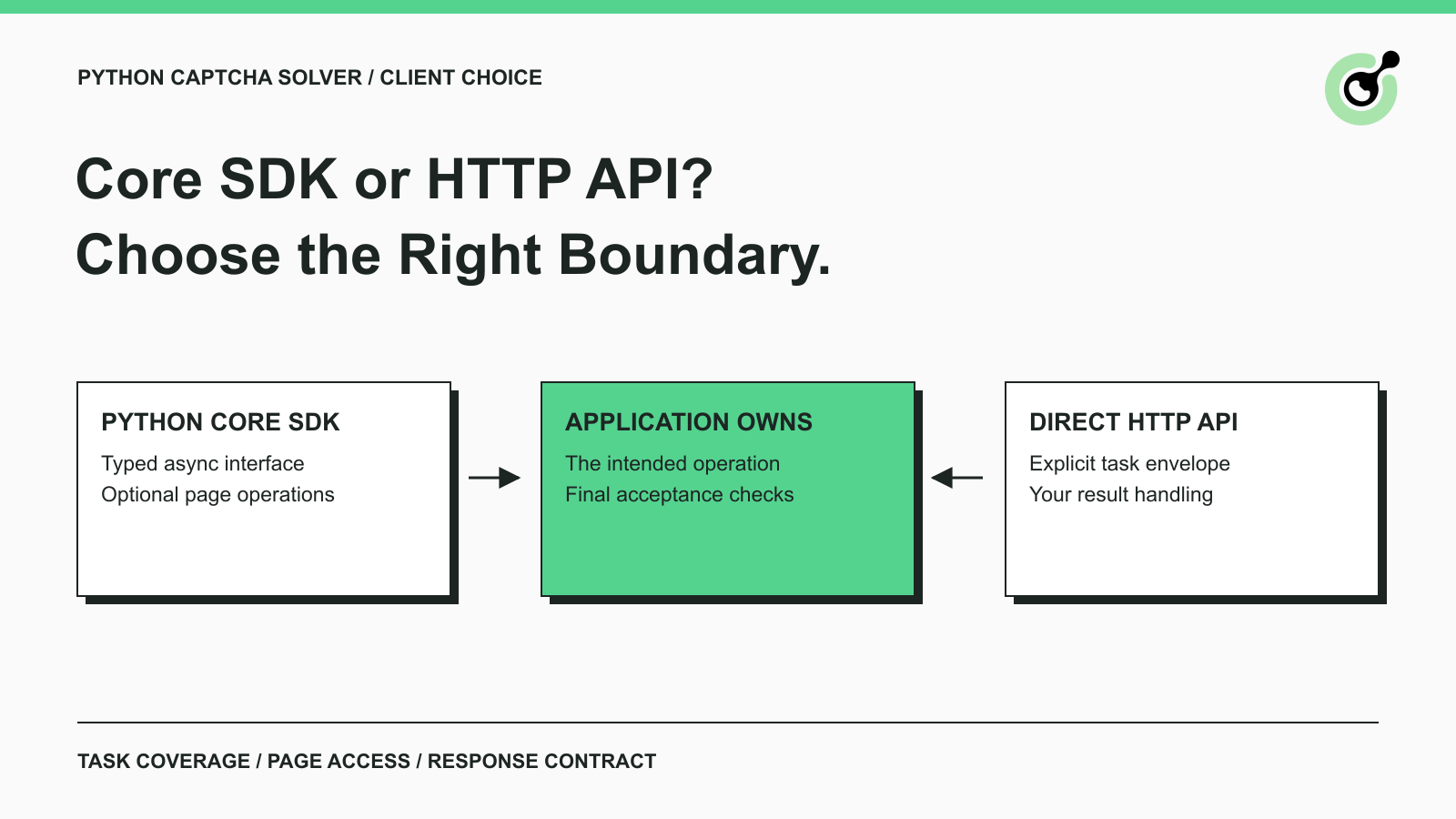
The Core SDK adds Python objects and optional browser operations around supported solving tasks; the HTTP API exposes the task request and response contract directly.
The distinction resembles the relationship described in the API library glossary entry: a library packages interaction with a service into a programming interface. That convenience does not make the underlying service disappear, and it does not mean every library supports every operation exposed by the service.
The Core SDK reference documents capsolver-core, a fully async interface with token mode and a Playwright-dependent browser mode. Its documented token-solving scope covers reCAPTCHA v2/v3 and Cloudflare Turnstile. It does not operate by clicking image grids or dragging sliders.
The task creation contract instead accepts a clientKey and a task object. That task object follows the documentation for the selected task type. Some tasks return a solution immediately; asynchronous tasks return an identifier used to retrieve a result. An HTTP client must handle the applicable path explicitly.
Which responsibilities belong to each approach?
Choose the approach whose responsibilities match the code you intend to maintain.
| Decision | Python Core SDK | Direct HTTP API |
|---|---|---|
| Input boundary | Typed CAPTCHA information, or a supported browser page operation | Documented JSON task object |
| Browser parameter inspection | Available through the Playwright-dependent methods | Supplied by your own browser/application layer |
| Result representation | SDK result objects with documented fields | Task-specific response envelope and solution object |
| Waiting behavior | Client polling options for supported solves | Your application implements the applicable result retrieval path |
| Coverage check | Confirm the installed SDK and handler support the task | Confirm the task is documented by the service API |
| Application acceptance | Remains your responsibility | Remains your responsibility |
A smaller calling interface is useful when it removes work you would otherwise repeat. It is less useful when your application immediately has to reconstruct the lower-level contract to support an unusual requirement. Decide based on the complete workflow, including diagnostics and shutdown, rather than the shortest successful example.
Neither column implies better solving accuracy or a faster provider response. Those conclusions require comparable observations from the actual task and workload. Changing the client abstraction alone does not establish a new service capability.
Why do some Python examples use a different package?
Different official examples can target different Python interfaces, so the import and package name must be checked together.
For example, the Turnstile task documentation includes an example using import capsolver and capsolver.solve with a task dictionary. The Core SDK reference uses capsolver_core, CaptchaInfo, and an awaited solve operation. Treat those as distinct interfaces rather than interchangeable spellings.
Keep the tutorial tied to its dependency
Before adapting an example, record the package it installs, the module it imports, and the returned value it expects. A dictionary-oriented example should not be changed into a Core SDK example by replacing only the import line. Input names and response access also need to follow the chosen interface.
Use a dedicated environment for evaluation. Python's virtual environment documentation explains how an environment isolates the installed packages used by a project. Record the resolved package versions with the application so a later change can be reviewed against a known dependency set.
This guide compares capsolver-core with direct HTTP. The separate capsolver package is mentioned to help you recognize the official example you are reading; it is not assigned an unverified feature matrix here.
When is the Core SDK a good fit?
The Core SDK is a good fit when your Python application wants its documented async token interface or the associated Playwright page operations.
You already know the CAPTCHA parameters
In token mode, your application constructs CaptchaInfo and requests a solution. The required information includes the CAPTCHA type, page URL, and site key. The exact additional fields depend on the supported CAPTCHA. A backend that already receives the correct page context may not need a browser-dependent method at all.
The returned Solution exposes a token and other documented information. Optional response details must be treated as optional; do not populate missing values from an unrelated example. Preserve enough non-secret context to associate the result with the current application attempt.
Your application controls a Playwright page
Browser mode adds methods for detecting CAPTCHA types, reading structured parameters, and running a solve-and-fill operation. This can reduce repeated browser inspection code when the page and challenge are supported.
The result still needs to be interpreted at the method's boundary. A detected type is not a completed solve. A filled result is not a receipt from your application's server. For an owned support-form test, the final assertion should check that the intended submission was accepted according to the test application's contract.
Do not introduce a browser simply to make an API call. Conversely, do not expect a plain HTTP task call to discover parameters from a page that your code has never inspected. Choose the mode based on where reliable input already exists.
Redeem Your CapSolver Bonus Code
Boost your automation budget instantly!
Use bonus code CAP26 when topping up your CapSolver account to get an extra 5% bonus on every recharge — with no limits.
Redeem it now in your CapSolver Dashboard

When should you prefer direct HTTP requests?
Prefer direct HTTP when you need to own the task envelope, preserve provider task identifiers explicitly, or use a documented task outside the Core SDK interface you have evaluated.
An existing backend may already have a standard HTTP layer for timeouts, redacted logging, request correlation, and response validation. Using that layer can keep CAPTCHA task handling consistent with other external calls. It also makes your team responsible for correctly implementing the service's asynchronous response path.
The result retrieval reference describes the distinction between a processing task and a ready result. Preserve that distinction in your state model. A successful transport response does not by itself mean a solution is ready, and a result's solution shape depends on its task type.
The existing Python Requests CAPTCHA guide provides background for the direct-request approach. When applying an older tutorial, check its task fields and response handling against the current task documentation. Do not assume a sample's polling loop is the complete lifecycle policy for your service.
Direct HTTP is also a reasonable boundary between services written in different languages. Your internal job record can store the provider task identifier and a small status enum without exposing an SDK-specific object to every consumer. That is an architecture choice, not a requirement to replace a working SDK integration.
How should async behavior affect the decision?
Async behavior should be evaluated against your application's event loop, cancellation policy, and resource ownership.
Python's asyncio documentation describes the foundation for concurrent asynchronous code. The Core SDK follows an async interface, but using await does not establish an appropriate concurrency limit for your workload. Set the limit in the component that owns the work queue and its spending budget.
For direct HTTP, select a client that fits the surrounding application. A blocking request inside an async handler can prevent that handler's event loop from making progress as intended. A synchronous batch program has different requirements and does not need an async rewrite merely to send valid JSON.
Separate local cancellation from remote work
When a caller stops waiting, the state of the remote solver task may still need to be resolved. Python's task cancellation guidance concerns local coroutine behavior; it is not a specification for cancelling a remote CapSolver task.
Do not infer a server cancellation feature from a local timeout or cancelled coroutine. Review the provider's documented behavior and preserve the known task identifier when your architecture allows it. The application should also prevent a late result from being assigned to a different form attempt.
The Core SDK documents an async context manager and explicit cleanup. Direct HTTP clients likewise need a clear owner for their connections. Define who creates and closes the client before integrating it into a long-running worker.
What should you check before changing an existing implementation?
Check the input mapping, result mapping, and application assertions before replacing an existing client.
Start with one owned test workflow whose intended CAPTCHA and form are known. Write down where the page URL and public site key originate, which task family is expected, and which component owns the service credential. Keep the credential in the backend configuration rather than page markup or a browser-delivered bundle.
Next, compare the current response contract with the proposed one. If your application expects raw JSON, an SDK result object needs a deliberate mapping. If your application expects an SDK token property, a raw task envelope cannot be substituted without reading its task-specific solution field. Avoid passing either representation through unrelated application layers without a small, documented interface.
Finally, define separate checks for client initialization, provider interaction, and application acceptance. A package import only proves that the dependency loaded. A local fixture can check your mapping logic. A real supported solver request and an owned application's acceptance check provide evidence about later stages. Report those stages independently when reviewing the migration.
For a production decision, also test a missing field, a rejected task, a caller deadline, and application rejection after a solution arrives. These are proposed acceptance cases, not results measured for this article. Keep the working client available until the replacement meets your actual acceptance criteria.
Choose the smallest client boundary that fits your task
Choose the Core SDK for its supported typed and browser-aware operations, or direct HTTP for explicit ownership of the service task contract.
Keep the choice close to the CAPTCHA component. Your business workflow should depend on a documented outcome and its acceptance criteria, rather than on incidental details of a particular tutorial. Use CapSolver through the interface you can test, explain, and maintain for that permitted workload.
FAQ
Q: Is capsolver-core the same package as capsolver?
The documented interfaces use different packages and calling conventions. Check the installation command, import, input object, and return type together. Do not mix lines from the two interfaces without a verified adaptation.
Q: Do I need Playwright to request a token with the Core SDK?
Token mode can be used without the Playwright extra when the required parameters are already known. Browser-dependent methods need the corresponding dependency and an actual page.
Q: Does direct HTTP support page detection automatically?
A task request uses the parameters your application supplies. Browser inspection must come from a separate layer; sending JSON to the solver does not itself inspect your local page.
Q: Will changing from HTTP to the SDK improve solver accuracy?
The client choice alone does not demonstrate an accuracy improvement. Evaluate the actual supported task and accepted application outcome under comparable conditions before making a performance claim.
Q: Is a filled token proof that my form submission succeeded?
A filled token only describes the client-side operation. Your application must still validate the required response and confirm the intended form outcome.
Compliance Disclaimer: The information provided on this blog is for informational purposes only. CapSolver is committed to compliance with all applicable laws and regulations. The use of the CapSolver network for illegal, fraudulent, or abusive activities is strictly prohibited and will be investigated. Our captcha-solving solutions enhance user experience while ensuring 100% compliance in helping solve captcha difficulties during public data crawling. We encourage responsible use of our services. For more information, please visit our Terms of Service and Privacy Policy.
More
CAPTCHA in an iframe Not Detected? How to Find the Right Frame
Find why a visible CAPTCHA is missed inside an iframe. Check document context, widget loading, site parameters, and the browser handoff to your solver.

Nikolai Smirnov
27-Oct-2026
How to Detect CAPTCHA in Robot Framework Browser Tests
Detect CAPTCHA in Robot Framework with a tested Python keyword and the official solver SDK. Inspect page parameters and understand where detection stops.

Aloísio Vítor
26-Oct-2026
CAPTCHA Testing in Node.js: Test Keys and Solver Checks
Plan Node.js CAPTCHA tests with vendor test keys, controlled solver checks, and clear assertions. Separate form regressions from external solving failures.

Khadija Santos
16-Oct-2026
CAPTCHA Handling at Scale: A Browser Automation Guide
Improve CAPTCHA handling in browser automation with current task inputs, isolated browser sessions, bounded retries, and checks that confirm the final result.
Nikolai Smirnov
14-Oct-2026
Common Selenium CAPTCHA Problems and How to Fix Them
Fix common Selenium CAPTCHA integration problems by checking test configuration, extensions, waits, iframe context, solver responses, and application results.
Nikolai Smirnov
22-Sep-2026
CapSolver Python Core SDK vs HTTP API: Which Should You Use?
Choose the CapSolver Python Core SDK or direct HTTP API by task support, page access, response handling, and the responsibilities your application owns.
Ethan Collins
16-Sep-2026