











How to Solve reCAPTCHA v3 in LlamaIndex Agents

Lucas Mitchell
How to use CapSolver
28-Aug-2026
TL;DR
- Wrap a narrow async CapSolver function with LlamaIndex
FunctionTool; do not expose API keys, proxy credentials, cookies, or raw browser objects to the model. - Read
websiteURL,websiteKey, andpageActionfrom the live authorized workflow. Never let the agent invent them. - Use
ReCaptchaV3TaskProxyLessfor server-proxy token mode orReCaptchaV3Taskwhen an approved proxy must be supplied. - Treat a returned token as short-lived runtime data, submit it immediately through trusted code, and verify the application state before continuing.
- Limit solving attempts, route repeated failures to operator review, and log only redacted metadata.
Introduction
A reliable LlamaIndex reCAPTCHA v3 solver is a typed recovery tool, not an open-ended browsing capability. The LlamaIndex agent should decide when an approved task is blocked, while trusted code validates the target, reads the exact site key and action from the current page, calls CapSolver, submits the token, and verifies the expected state. This separation matters because reCAPTCHA v3 runs without an interactive checkbox and evaluates an action-specific request. A token created for the wrong URL or pageAction can be rejected even when the API call itself succeeds. This guide shows the official CapSolver task fields, an async LlamaIndex FunctionTool, server-side policy controls, session-mode handling, structured results, bounded retries, browser verification, and production observability.
Understand the LlamaIndex Tool Boundary
LlamaIndex's official tools documentation explains that FunctionTool wraps synchronous or asynchronous Python functions and can infer a function schema. It also notes that tool names, descriptions, and argument descriptions strongly influence how a model selects and calls a tool.
For a LlamaIndex reCAPTCHA v3 solver, keep the tool narrow:
text
LlamaIndex agent
    ↓ chooses a typed tool
FunctionTool wrapper
    ↓ validates trusted references
CapSolver executor
    ↓ returns a short-lived solution
Browser service
    ↓ submits and verifies
LlamaIndex workflow resumes
The CapSolver AI Agents documentation describes the same division of labor: the model decides, the adapter exposes schemas, and the core executes supported challenge work.
Know the Required reCAPTCHA v3 Parameters
CapSolver's reCAPTCHA v3 documentation defines four task types:
| Task type | Proxy mode | Enterprise |
|---|---|---|
ReCaptchaV3TaskProxyLess |
CapSolver server proxy | No |
ReCaptchaV3Task |
Your approved proxy | No |
ReCaptchaV3EnterpriseTaskProxyLess |
CapSolver server proxy | Yes |
ReCaptchaV3EnterpriseTask |
Your approved proxy | Yes |
The base fields are:
| Field | Requirement | Trusted source |
|---|---|---|
websiteURL |
Required | Current authorized page URL |
websiteKey |
Required | Live page configuration |
pageAction |
Usually required for v3 | The page's grecaptcha.execute action |
proxy |
Required for non-proxyless task | Server-side approved proxy profile |
enterprisePayload |
Conditional | Live Enterprise configuration |
isSession |
Conditional | Target-specific approved workflow |
Google's reCAPTCHA v3 guide describes action names as part of the integration. The action observed on the page should be preserved exactly.
The CapSolver reCAPTCHA blog contains additional troubleshooting and implementation guides.
Do Not Let the Model Invent Target Parameters
Pass references to server-side state, not arbitrary values.
python
from dataclasses import dataclass
from urllib.parse import urlparse

@dataclass(frozen=True)
class CaptchaContext:
    context_id: str
    website_url: str
    website_key: str
    page_action: str
    enterprise: bool = False
    proxy_profile: str | None = None
    session_mode: bool = False

TRUSTED_CONTEXTS: dict[str, CaptchaContext] = {}
ALLOWED_HOSTS = {"staging.example.com", "portal.example.org"}


def get_trusted_context(context_id: str) -> CaptchaContext:
    context = TRUSTED_CONTEXTS.get(context_id)
    if context is None:
        raise ValueError("Unknown CAPTCHA context")

    host = urlparse(context.website_url).hostname
    if host not in ALLOWED_HOSTS:
        raise PermissionError("Target is outside the approved host policy")

    if not context.website_key or not context.page_action:
        raise ValueError("Trusted context is missing required v3 parameters")

    return context
The model receives only context_id. The browser service owns the current page, site key, action, and proxy binding.
Install the Supported Packages
The user-provided CapSolver Agent documentation specifies installing the core package before the agent package:
bash
pip install git+https://github.com/capsolver-ai/capsolver-core.git
pip install git+https://github.com/capsolver-ai/capsolver-agent.git
pip install llama-index-core
Set the API key in the runtime environment:
bash
export CAPSOLVER_API_KEY="your-capsolver-api-key"Do not paste the key into prompts, notebooks, scenario datasets, or traces. The CapSolver AI and automation FAQ explains the integration model.
Create the Server-Side CapSolver Executor
capsolver-agent provides create_executor() for the model–adapter–core boundary.
python
import os
from capsolver_agent.schema import create_executor

executor = create_executor(
    api_key=os.environ["CAPSOLVER_API_KEY"],
    default_timeout=120,
)
The executor dispatches solve_captcha to CapSolver Core and returns a structured result. Keep it in trusted application code.
Write a Narrow Async Solve Function
The function resolves the trusted context, selects the official task type, and invokes the executor.
python
from typing import Annotated

async def solve_recaptcha_v3(
    context_id: Annotated[
        str,
        "Opaque ID for a trusted, current browser CAPTCHA context"
    ],
) -> dict:
    """Solve reCAPTCHA v3 for an approved browser context.

    Use only when the current workflow reports a supported reCAPTCHA v3
    checkpoint. Never guess or modify the target URL, site key, or action.
    """
    context = get_trusted_context(context_id)

    captcha_type = (
        "reCaptchaV3Enterprise"
        if context.enterprise
        else "reCaptchaV3"
    )

    args = {
        "captcha_type": captcha_type,
        "website_url": context.website_url,
        "website_key": context.website_key,
        "page_action": context.page_action,
    }

    if context.proxy_profile:
        args["proxy"] = resolve_proxy(context.proxy_profile)

    result = await executor.execute("solve_captcha", args)
    if not result.get("success"):
        return {
            "success": False,
            "context_id": context_id,
            "error": normalize_error(result.get("error")),
        }

    solution = result.get("solution") or {}
    token = solution.get("token")
    if not token:
        return {
            "success": False,
            "context_id": context_id,
            "error": "solution did not contain a token",
        }

    receipt = await submit_solution_and_verify(
        context_id=context_id,
        token=token,
        session_cookie=extract_session_cookie(solution),
    )

    return {
        "success": receipt["verified"],
        "context_id": context_id,
        "verified": receipt["verified"],
        "next_state": receipt["next_state"],
}resolve_proxy, normalize_error, and submit_solution_and_verify are application-owned policy adapters. They should not be visible to the model.
Wrap the Function with LlamaIndex FunctionTool
python
from llama_index.core.tools import FunctionTool

tool = FunctionTool.from_defaults(
    async_fn=solve_recaptcha_v3,
    name="solve_recaptcha_v3",
    description=(
        "Solve reCAPTCHA v3 for an approved current browser context. "
        "Input must be an opaque context_id supplied by the browser service. "
        "Do not call for unsupported pages or unapproved hosts."
    ),
)
Inspect the schema during development:
python
schema = tool.metadata.get_parameters_dict()
print(schema)
This follows LlamaIndex's documented FunctionTool pattern while reducing the model's argument surface to one opaque identifier.
Attach the Tool to a LlamaIndex Agent
python
from llama_index.core.agent.workflow import FunctionAgent

agent = FunctionAgent(
    llm=llm,
    tools=[tool],
    system_prompt=(
        "Operate only approved browser workflows. When the browser service "
        "reports a supported reCAPTCHA v3 checkpoint, call "
        "solve_recaptcha_v3 with the supplied context_id. Call once. "
        "Continue only when verified=true; otherwise request review."
    ),
)
Run the workflow with a trusted browser observation:
python
response = await agent.run(
    "The approved staging workflow is waiting at a reCAPTCHA v3 "
    "checkpoint. Use context_id ctx_7f19 and continue only if verified."
)
The agent never sees the API key, raw proxy, token, or cookie.
Read pageAction from the Live Page
A reliable LlamaIndex reCAPTCHA v3 solver should not reuse a generic action such as login across every target. The browser service should read the target's current integration.
python
async def collect_v3_context(page, context_id: str) -> CaptchaContext:
    website_url = page.url
    host = urlparse(website_url).hostname
    if host not in ALLOWED_HOSTS:
        raise PermissionError("Unapproved target")

    values = await page.evaluate("""
    () => {
      const scripts = Array.from(document.scripts)
        .map(s => s.textContent || '')
        .join('\n');

      const siteKey =
        document.querySelector('[data-sitekey]')?.getAttribute('data-sitekey')
        || null;

      const actionMatch = scripts.match(
        /grecaptcha(?:\.enterprise)?\.execute\([^,]+,\s*\{\s*action:\s*['\"]([^'\"]+)/
      );

      return {
        siteKey,
        pageAction: actionMatch ? actionMatch[1] : null,
        enterprise: scripts.includes('grecaptcha.enterprise')
      };
    }
    """)

    if not values["siteKey"] or not values["pageAction"]:
        raise RuntimeError("Could not read required v3 parameters")

    return CaptchaContext(
        context_id=context_id,
        website_url=website_url,
        website_key=values["siteKey"],
        page_action=values["pageAction"],
        enterprise=values["enterprise"],
    )
For complex integrations, use the CapSolver extension guide to inspect page parameters during approved development and testing.
Handle Session Mode Carefully
CapSolver's official v3 documentation notes that some targets can return recaptcha-ca-t when isSession is enabled. Treat it as sensitive, short-lived session material.
python
SESSION_KEYS = {
    "recaptcha-ca-t",
    "recaptcha_ca_t",
}


def extract_session_cookie(solution: dict) -> str | None:
    raw = solution.get("raw") or {}
    for key in SESSION_KEYS:
        value = solution.get(key) or raw.get(key)
        if value:
            return value
    return None
Only enable session mode when the target integration requires it and the workflow is authorized. Store the value in process memory or short-lived encrypted storage; never place it in the LlamaIndex context.
Submit and Verify in Trusted Browser Code
Google's server-side verification documentation explains that a site validates the token on its backend. Your automation should submit the token through the same approved application flow, then verify the resulting page state.
python
async def submit_solution_and_verify(
    context_id: str,
    token: str,
    session_cookie: str | None,
) -> dict:
    browser_state = BROWSER_CONTEXTS[context_id]
    page = browser_state.page

    if session_cookie:
        await browser_state.context.add_cookies([{
            "name": "recaptcha-ca-t",
            "value": session_cookie,
            "domain": urlparse(page.url).hostname,
            "path": "/",
            "secure": True,
        }])

    await page.evaluate(
        """({ token }) => {
          let input = document.querySelector(
            'textarea[name="g-recaptcha-response"]'
          );
          if (!input) {
            input = document.createElement('textarea');
            input.name = 'g-recaptcha-response';
            input.style.display = 'none';
            document.body.appendChild(input);
          }
          input.value = token;
          input.dispatchEvent(new Event('change', { bubbles: true }));
        }""",
        {"token": token},
    )

    await trigger_trusted_callback(page, browser_state.callback_name)

    try:
        await page.locator(browser_state.success_selector).wait_for(
            state="visible",
            timeout=15000,
        )
        return {"verified": True, "next_state": "continue"}
    except Exception:
        return {"verified": False, "next_state": "operator_review"}
Callback discovery is target-specific. Capture it in the trusted browser context rather than asking the model to generate JavaScript.
The CapSolver reCAPTCHA response API guide explains common response handling patterns.
Enforce One Attempt and Explicit States
python
from enum import Enum

class RecoveryState(str, Enum):
    DETECTED = "detected"
    SOLVING = "solving"
    VERIFIED = "verified"
    REVIEW_REQUIRED = "review_required"

ATTEMPTS: dict[str, int] = {}

async def guarded_solve(context_id: str) -> dict:
    attempts = ATTEMPTS.get(context_id, 0)
    if attempts >= 1:
        return {
            "success": False,
            "context_id": context_id,
            "next_state": RecoveryState.REVIEW_REQUIRED,
            "error": "recovery budget exhausted",
        }

    ATTEMPTS[context_id] = attempts + 1
    return await solve_recaptcha_v3(context_id)
A repeated call often signals stale parameters, wrong action, expired browser state, or an unsupported path. Stop the loop and collect diagnostics.
Record Redacted Observability
Log operational metadata, not secrets.
python
from datetime import datetime, timezone


def recovery_event(context: CaptchaContext, result: dict) -> dict:
    return {
        "event": "recaptcha_v3_recovery",
        "context_id": context.context_id,
        "host": urlparse(context.website_url).hostname,
        "page_action": context.page_action,
        "enterprise": context.enterprise,
        "session_mode": context.session_mode,
        "success": result.get("success", False),
        "next_state": str(result.get("next_state")),
        "observed_at": datetime.now(timezone.utc).isoformat(),
    }
Do not log websiteKey if your policy treats it as configuration, and never log solution tokens, session cookies, API keys, raw proxies, or full private page HTML.
The CapSolver errors FAQ can help normalize error categories.
Bonus Code: Use code WEBS at CapSolver Dashboard to get an extra 5% bonus on every recharge.
Comparison Summary
| Integration pattern | Model input | Secret exposure risk | Best use |
|---|---|---|---|
| Model supplies all task fields | URL, key, action, proxy | High | Avoid in production |
| Typed FunctionTool with validated fields | Explicit fields | Medium | Controlled prototypes |
| Opaque context ID plus server validation | Context reference only | Low | Production LlamaIndex workflows |
Browser-only core solve_on_page |
No model parameters | Lowest | Deterministic Playwright recovery |
The opaque-context pattern gives the LlamaIndex agent enough control to request recovery without letting it rewrite sensitive or target-specific parameters.
Production Checklist
- Keep the API key and proxy profiles in a secret manager.
- Allow only approved hosts and exact workflow purposes.
- Read
websiteKeyandpageActionfrom the current live page. - Match Enterprise and session settings to the target integration.
- Submit the token immediately through trusted browser code.
- Verify the expected application state before continuing.
- Permit one solve attempt, then route to operator review.
- Redact tokens, cookies, proxies, and credentials from traces.
- Re-test the tool schema whenever the SDK or prompt changes.
The CapSolver products page lists supported solution categories, while the CapSolver AI blog covers related agent integration patterns.
Responsible Use
Use this workflow only on applications you own, test, or have explicit permission to automate. Technical capability does not grant access rights. Respect target terms, rate limits, privacy requirements, and authentication boundaries. Do not use an agent tool to access private accounts, restricted records, or third-party workflows without authorization. Keep high-impact actions such as submission, payment, booking, and account changes behind a separate policy and confirmation step.
Conclusion
A production LlamaIndex reCAPTCHA v3 solver should expose one narrow, typed recovery function. The browser service supplies a trusted context ID, server-side code preserves the exact URL, site key, action, Enterprise mode, and proxy policy, CapSolver returns a short-lived solution, and the browser verifies the expected state before the agent continues.
Start an approved LlamaIndex integration with CapSolver, test it on a controlled staging workflow, and add parameter-grounding and retry assertions before production.
FAQ
Does reCAPTCHA v3 require a checkbox click?
No. reCAPTCHA v3 is score-based and usually runs in the background. The workflow must preserve the target's site key, URL, and action.
Why is pageAction important?
The action identifies the operation being evaluated, such as login or submit. Use the exact action read from the live integration rather than a generic value.
Should the LlamaIndex agent receive the token?
Prefer server-side submission and return only a verified status. A token is short-lived runtime data and should not enter model context or logs.
When should session mode be enabled?
Enable it only when the authorized target requires the returned session value. Keep that value in short-lived encrypted runtime storage.
What should happen after a failed attempt?
Stop after the configured attempt budget, record a redacted diagnostic event, refresh trusted page parameters if appropriate, and route the workflow to operator review.
Compliance Disclaimer: The information provided on this blog is for informational purposes only. CapSolver is committed to compliance with all applicable laws and regulations. The use of the CapSolver network for illegal, fraudulent, or abusive activities is strictly prohibited and will be investigated. Our captcha-solving solutions enhance user experience while ensuring 100% compliance in helping solve captcha difficulties during public data crawling. We encourage responsible use of our services. For more information, please visit our Terms of Service and Privacy Policy.
More
How to Install CapSolver MCP from the Official MCP Registry
Find CapSolver MCP in the Official MCP Registry, install version 0.1.3 with uvx or pip, configure a local client, and verify the stdio tools.

Khadija Santos
18-Sep-2026
Pydantic AI CAPTCHA Tools: Typed Inputs and Solver Results
Add CAPTCHA tools to Pydantic AI using the official CapSolver adapter, test tool execution locally, and handle typed inputs and structured solver results.
Khadija Santos
18-Sep-2026
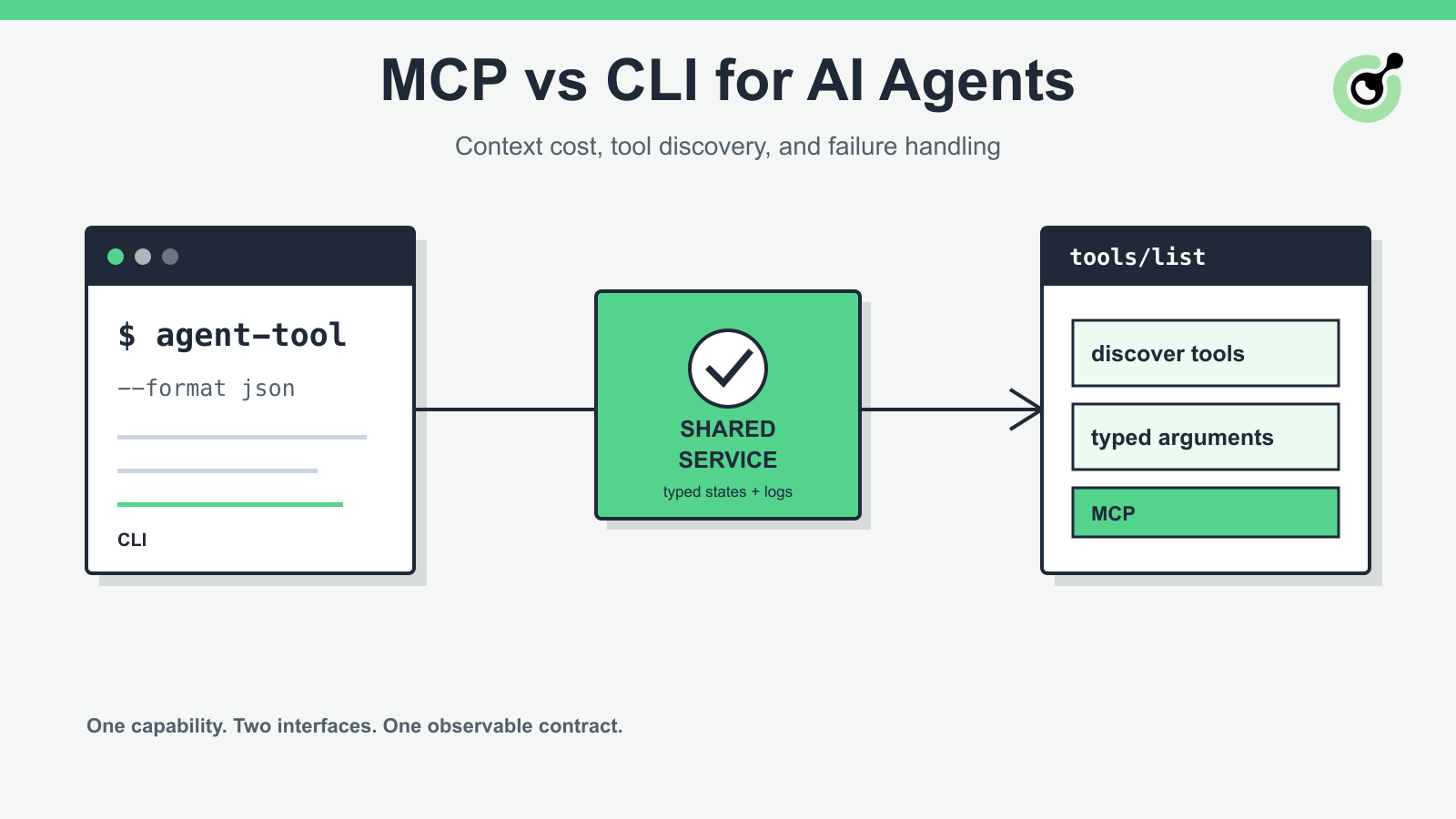
MCP vs CLI for AI Agents: Context Cost and Failure Handling
Compare MCP and CLI interfaces for AI agents across tool discovery, context cost, security, debugging, failure handling, and hybrid architecture.

Nikolai Smirnov
18-Sep-2026
How to Handle Multiple CAPTCHA Widgets in AI Browser Agents
Handle multiple CAPTCHA widgets on one page with explicit form ownership, solver parameters, result routing, and checks for the intended AI agent action.
Lucas Mitchell
15-Sep-2026

CapSolver MCP Server Is Now Available for AI Agents
Install CapSolver MCP Server from PyPI and give compatible AI agents five tools for authorized CAPTCHA handling through the Model Context Protocol.

Sora Fujimoto
11-Sep-2026

AI Agents vs Scripts: How to Choose for Web Automation
Choose between AI agents, scripts, and hybrid web automation by task uncertainty, testability, cost, and the controls needed for reliable execution.
Lucas Mitchell
11-Sep-2026