











reCAPTCHA v3 Score 0.0 to 1.0: Meaning and Thresholds

Nikolai Smirnov
How to use CapSolver
22-May-2026
TL;DR
- recaptcha v3 score 0.0 to 1.0 is a risk signal, where Google describes 1.0 as very likely a good interaction and 0.0 as very likely a bot.
- A single score is not a universal pass or fail result because thresholds should vary by action, business risk, traffic history, and false-positive tolerance.
- Google suggests 0.5 as a default starting threshold, then expects site owners to review Admin Console traffic and tune decisions with evidence.
- CapSolver can support authorized reCAPTCHA v3 workflows when teams identify the site key, page action, task type, proxy requirement, and backend validation rule.
- Responsible automation should log action, hostname, score, verification outcome, and final application decision without storing secrets or sensitive personal data.
Introduction
recaptcha v3 score 0.0 to 1.0 is the range Google returns after a protected action is verified, but the number only becomes useful when teams understand the action, hostname, timing, and backend rule behind it. CapSolver can support authorized teams that need a controlled reCAPTCHA v3 task workflow, yet the site owner’s policy still decides whether a score is accepted, challenged, reviewed, or rejected. A high score usually means lower risk, and a low score usually means higher risk, but thresholds should be tuned with real traffic and documented outcomes. This guide explains the score range, threshold planning, action matching, common failure causes, and compliant CapSolver usage.
What recaptcha v3 score 0.0 to 1.0 means
recaptcha v3 score 0.0 to 1.0 is a site-specific risk signal returned after verification. Google’s reCAPTCHA v3 documentation says v3 runs without user friction and returns a score based on interactions with the site. In Google’s interpretation, 1.0 is very likely a good interaction, while 0.0 is very likely a bot.
The score does not replace application policy. It informs it. A login action, signup form, checkout flow, comment form, and search endpoint may each need a different response. CapSolver’s reCAPTCHA glossary is useful when teams need shared definitions for site keys, response tokens, and validation terms. The same recaptcha v3 score 0.0 to 1.0 value can be acceptable for one low-risk action and unacceptable for a sensitive account action. That is why a score should be evaluated with action, hostname, timestamp, user context, and downstream fraud or abuse indicators.
| Score band | Common interpretation | Possible site response |
|---|---|---|
| 0.9–1.0 | Very likely legitimate interaction | Allow normal flow and log the outcome |
| 0.7–0.8 | Generally trusted but still context-dependent | Allow, monitor, or apply light risk rules |
| 0.5–0.6 | Mixed confidence | Add step-up checks, rate limits, or review logic |
| 0.3–0.4 | Higher-risk signal | Require additional verification or restrict sensitive actions |
| 0.0–0.2 | Very high automation-risk signal | Deny, quarantine, or trigger security review |
This table is a planning model, not a universal policy. Teams should tune the recaptcha v3 score 0.0 to 1.0 response against conversion impact, known QA traffic, abuse reports, and false positives.
Why thresholds should be tuned, not copied
Google notes that 0.5 can be used as a default threshold and also states that every site is different. The official guidance recommends reviewing traffic in the reCAPTCHA Admin Console before setting thresholds. This matters because reCAPTCHA v3 learns from interactions and because each site has different user behavior, traffic sources, device mix, and abuse patterns.
A practical threshold program starts with observation. Deploy v3 in a monitoring mode, record the score distribution by action, compare scores with known outcomes, and decide what action to take at each band. A newsletter signup may tolerate a lower score than a password reset. A payment attempt may require stronger evidence. The best recaptcha v3 score 0.0 to 1.0 policy is therefore an operational rule set, not a copied number from another website.
Action matching and backend verification
recaptcha v3 score 0.0 to 1.0 is incomplete without action matching. Google says the verification response can include success, score, action, challenge_ts, hostname, and error codes, and the Site Verify documentation explains the server-side verification endpoint and response fields. The backend should verify that the returned action matches the expected interaction. If a page calls grecaptcha.execute for login, the backend should not treat a token from newsletter_signup as equivalent.
CapSolver’s reCAPTCHA v3 task guide documents task types such as ReCaptchaV3Task, ReCaptchaV3EnterpriseTask, ReCaptchaV3TaskProxyLess, and ReCaptchaV3EnterpriseTaskProxyLess. It also explains required fields such as websiteURL and websiteKey, and optional fields such as pageAction, enterprisePayload, isSession, and apiDomain. For score-based testing, pageAction is especially important because it ties the task to the page flow.
How CapSolver fits authorized score-based testing
CapSolver fits a recaptcha v3 score 0.0 to 1.0 workflow when the team has permission to test the target and needs a documented task API. The workflow usually starts by identifying the page URL, site key, expected action, enterprise status, and proxy requirement. The broader captcha solving API concept is useful here because browser control and task creation are separate layers. Then the team uses createTask to submit the task and getTaskResult to retrieve the result.
CapSolver documentation says a successful result can include gRecaptchaResponse, a userAgent, and in some session cases cookie values such as recaptcha-ca-t or recaptcha-ca-e. The application still needs to submit the token through the intended page flow and check the site’s backend decision. The purpose of a recaptcha v3 score 0.0 to 1.0 test is not only to obtain a token. It is to confirm how the target workflow interprets the token, score, action, and hostname.
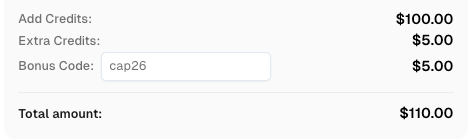
Redeem Your CapSolver Bonus Code
Boost your automation budget instantly!
Use bonus code CAP26 when topping up your CapSolver account to get an extra 5% bonus on every recharge — with no limits.
Redeem it now in your CapSolver Dashboard
Teams can also use the reCAPTCHA v3 product page to align task selection with their workflow, while the reCAPTCHA blog hub helps readers compare related score, token, and validation topics. Standard and enterprise variants should not be mixed, and proxyless versus proxy-based task types should be selected according to the approved environment. Keep API keys out of source code and logs, and keep test traffic low enough for the owner’s review policy.
Common reasons scores or validations fail
A low score or rejected token can come from several causes. The site may see behavior that does not resemble typical users. The action may be wrong or missing. The token may be stale. The hostname may not match. The site key may belong to a different page. The application may apply a stricter threshold than the test team expected. In enterprise setups, missing enterprise payload details can also cause inconsistent results.
The recaptcha v3 score 0.0 to 1.0 investigation should therefore review both the browser side and the backend side. Browser logs can show whether the expected action was executed. Backend logs can show whether verification returned success, score, action, hostname, and error codes. The page result can show whether the application accepted, challenged, reviewed, or rejected the event.
| Debug item | What to confirm | Why it matters |
|---|---|---|
| Site key | The key belongs to the intended page | Prevents wrong-target tokens |
| Action | Returned action matches expected action | Prevents cross-action token use |
| Hostname | Verification hostname matches the app | Prevents environment mismatch |
| Timing | Token is submitted promptly | Reduces stale-token failures |
| Threshold | Backend rule matches the test plan | Separates solver issues from policy decisions |
| Logs | Secrets are redacted | Keeps evidence useful and safe |
The guide to a high score reCAPTCHA v3 workflow can help teams structure investigations around action, score, and validation context instead of treating every failure as the same issue.
Responsible automation boundaries
A recaptcha v3 score 0.0 to 1.0 workflow protects real applications from unwanted automation, so responsible use is not optional. OWASP’s Automated Threats to Web Applications project describes unwanted automated behavior as software-driven activity that diverges from accepted application behavior and includes categories such as scraping, credential attacks, account creation, and CAPTCHA-related abuse.
Use score-based testing only for owned systems, staging environments, client-approved targets, accessibility validation, QA, permitted public-data monitoring, and other documented workflows. Do not use it against private accounts, restricted services, sensitive data, or systems where authorization is unclear. The recaptcha v3 score 0.0 to 1.0 result is a security signal, and technical success never replaces permission.
Conclusion
recaptcha v3 score 0.0 to 1.0 should be interpreted through four lenses: score range, action matching, backend verification, and threshold tuning. A score near 1.0 is generally more trusted than a score near 0.0, but the site owner’s policy for the specific action makes the final decision. Teams should record returned action, hostname, score, verification result, and final application outcome so they can debug accurately and tune safely. For authorized score-based testing with documented task types and a predictable API workflow, evaluate CapSolver.
FAQ
What does recaptcha v3 score 0.0 to 1.0 mean?
recaptcha v3 score 0.0 to 1.0 is Google’s risk signal for a verified interaction. Google describes 1.0 as very likely a good interaction and 0.0 as very likely a bot.
What is a good reCAPTCHA v3 score?
A higher score is generally better, but there is no universal good score for every site. Many teams start around 0.5, then tune thresholds by action, traffic history, false positives, and security risk.
Why does action matching matter in reCAPTCHA v3?
Action matching ties a token to a specific page interaction such as login, checkout, or signup. If the returned action does not match the expected action, backend validation should treat the token as unreliable.
Can CapSolver support reCAPTCHA v3 score testing?
Yes. CapSolver provides reCAPTCHA v3 solver API documentation for authorized workflows that need task creation, result retrieval, page-action handling, and score-based validation checks.
Why was my reCAPTCHA v3 token rejected?
Common causes include a wrong action, stale token, hostname mismatch, incorrect site key, missing enterprise parameters, stricter backend threshold, or a difference between browser-side token handling and backend verification.
Compliance Disclaimer: The information provided on this blog is for informational purposes only. CapSolver is committed to compliance with all applicable laws and regulations. The use of the CapSolver network for illegal, fraudulent, or abusive activities is strictly prohibited and will be investigated. Our captcha-solving solutions enhance user experience while ensuring 100% compliance in helping solve captcha difficulties during public data crawling. We encourage responsible use of our services. For more information, please visit our Terms of Service and Privacy Policy.
More
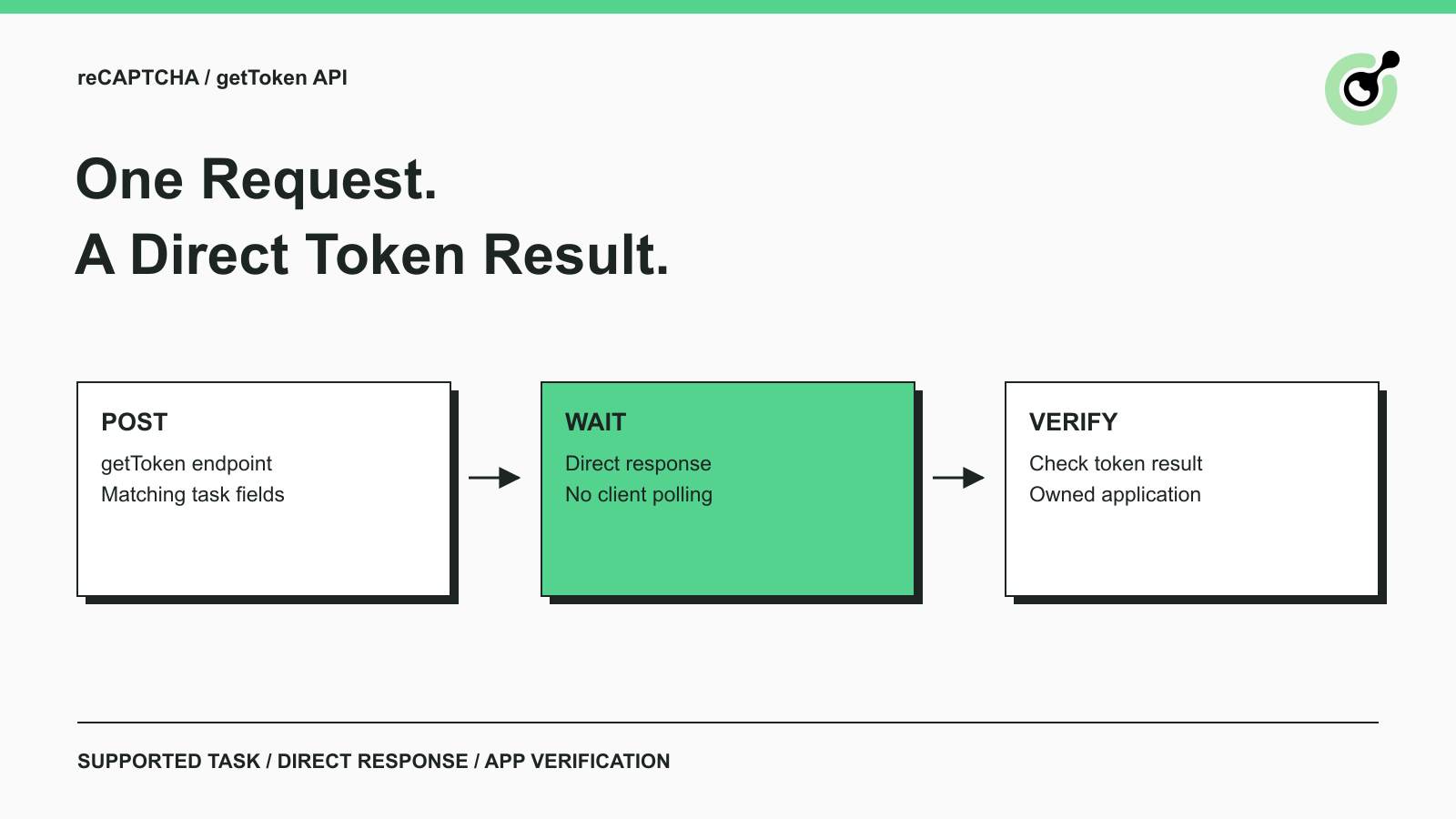
Solve reCAPTCHA with getToken: One Request, No Polling
Use CapSolver getToken for supported reCAPTCHA tasks with a documented JSON request, a cURL example, direct results, and clear token-validation steps.

Emma Foster
17-Sep-2026

reCAPTCHA Test Keys: How to Set Up Reliable QA Environments
Use reCAPTCHA test keys in QA with separate environments, backend validation checks, negative tests, and release guards that keep test settings out of production.

Lucas Mitchell
11-Sep-2026
How to Identify the Version of reCaptcha
In this article, we will show you how to identify what reCaptcha version is being used.
Lucas Mitchell
10-Sep-2026

How to Solve "Unusual Traffic from Your Computer Network"
Struggling with 'Unusual traffic from your computer network' errors on Google? Our guide explains the triggers and offers solutions to solve captchas, including tips and a look at how CAPSOLVER.COM can streamline your browsing experience by automatically resolving these interruptions.

Ethan Collins
09-Sep-2026
How to Solve reCAPTCHA v3 with Playwright: Complete Guide
The reliable way to implement playwright recaptcha v3 is to pause the permitted browser task at the verification checkpoint, recover inside the same Playwright page, and resume only after the original action passes its own assertion. CapSolver provides the official `capsolver-core` browser pipeline for detection, parameter reading, solving, and fill-back. Playwright remains responsible for navigation, form state, credentials, and test assertions. This separation avoids stale
Ethan Collins
13-Aug-2026
Make reCAPTCHA Solver Tutorial: Build a No-Code CapSolver HTTP Scenario
Follow this Make reCAPTCHA solver tutorial to build a CapSolver HTTP scenario with createTask, getTaskResult, retry branches, and verification.
Lucas Mitchell
16-Jul-2026